What's new in Ovida (14 October 2026)
Last updated: October 14, 2026
Ovida now supports choosing the language for AI skills and roleplays, and your organization can control which languages are available.
New and improved
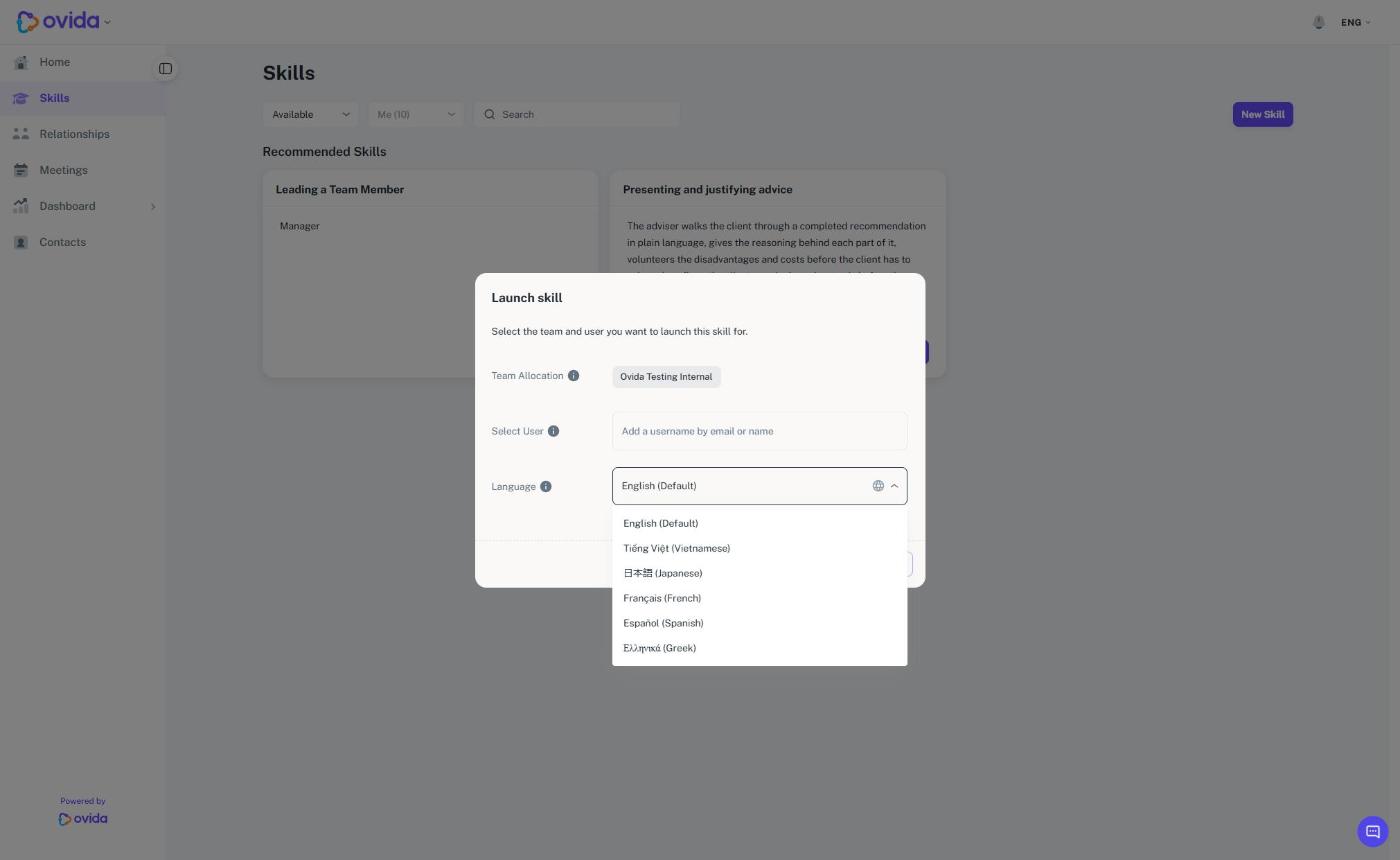
Choose the language for a skill or roleplay. When you launch a skill, you can now pick the language it runs in from the Language list. The language is set at launch and stays fixed for that session, so the AI roleplay, its voice and your feedback all use the same language. Ovida is now available in English, Spanish, Greek, French, Vietnamese and Japanese.
Organizations choose the available languages. Your organization can choose which languages are available and which one is the default. To change them, email support@ovida.org. If only one language is available, the language selector is hidden and that language is used.
A clear notice when the web address has changed. If you open Ovida from a link on coaching.ovida.org, Ovida now tells you the address has changed and takes you to the same page on the new address after a few seconds. You can select the link in the notice to go straight away. Your page, meeting link and organization are kept. Please update any bookmarks.
Find a team member by email when launching a skill. In the Select User field you can now type part of someone's email address as well as their name.
Clearer message when a relationship is unavailable. If your team's subscription is inactive or has expired, Ovida now shows a Subscription Required message with what to do next.
Fixes and improvements
This release also includes smaller fixes and polish across skills, meetings and roleplays, including more reliable avatar voices and smoother meeting uploads.
Getting help
If you have a question about anything in this release, email support@ovida.io.