What's new in Ovida (17 July 2026)
Last updated: July 20, 2026
You can now practise with an AI persona based on someone from your own meetings, the roleplay setup screen has a clearer layout, and View scores now opens your full score breakdown in one place.
New and improved
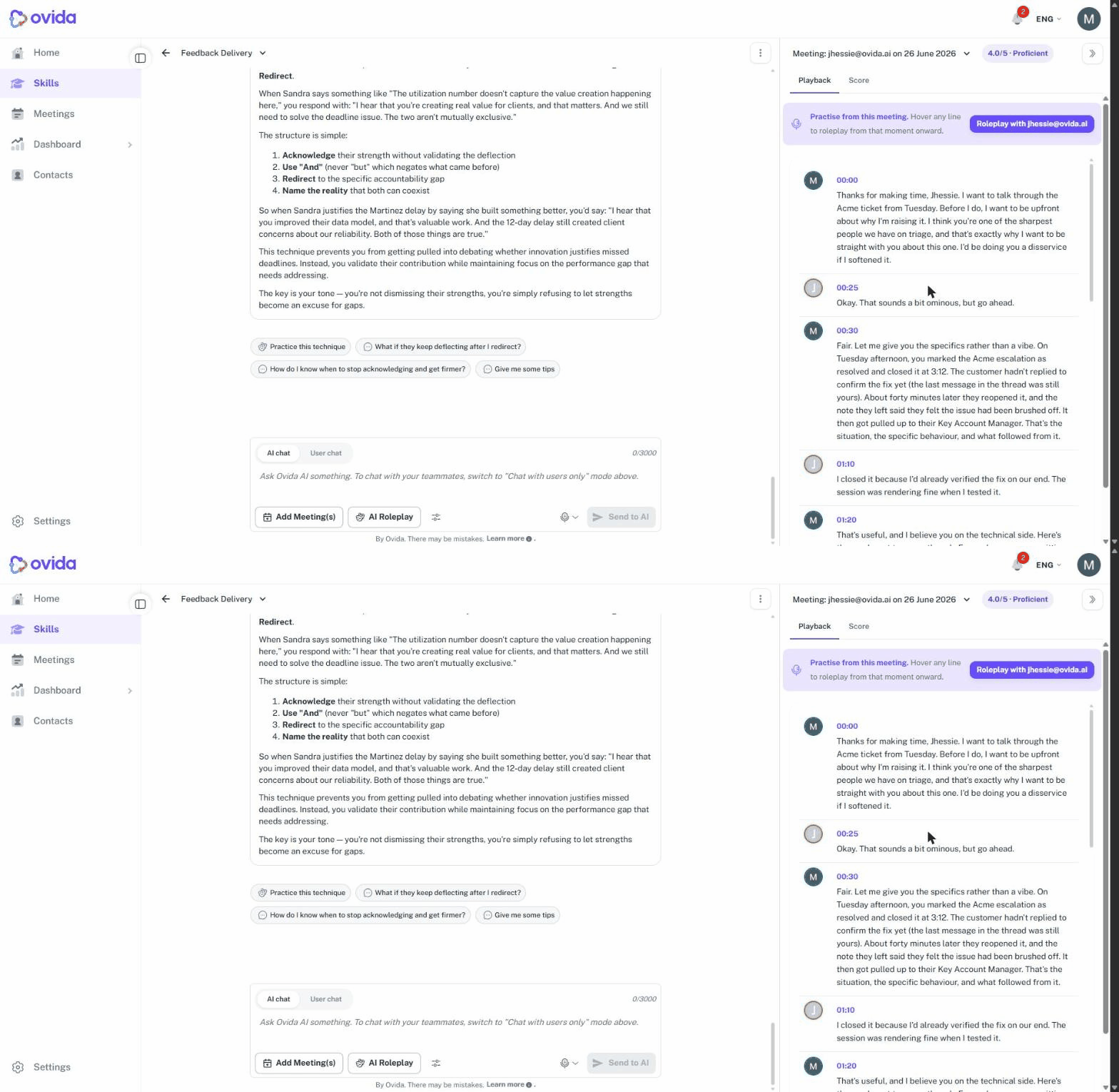
Roleplay with a persona from your own meetings. From the Playback tab of an analysed meeting, you can now start a roleplay with an AI persona based on a person in that meeting. Click Roleplay with [Name] above the transcript and Ovida generates a fictional character with similar character traits, based on the meetings provided, so you can practise the conversation again or prepare for the next one.
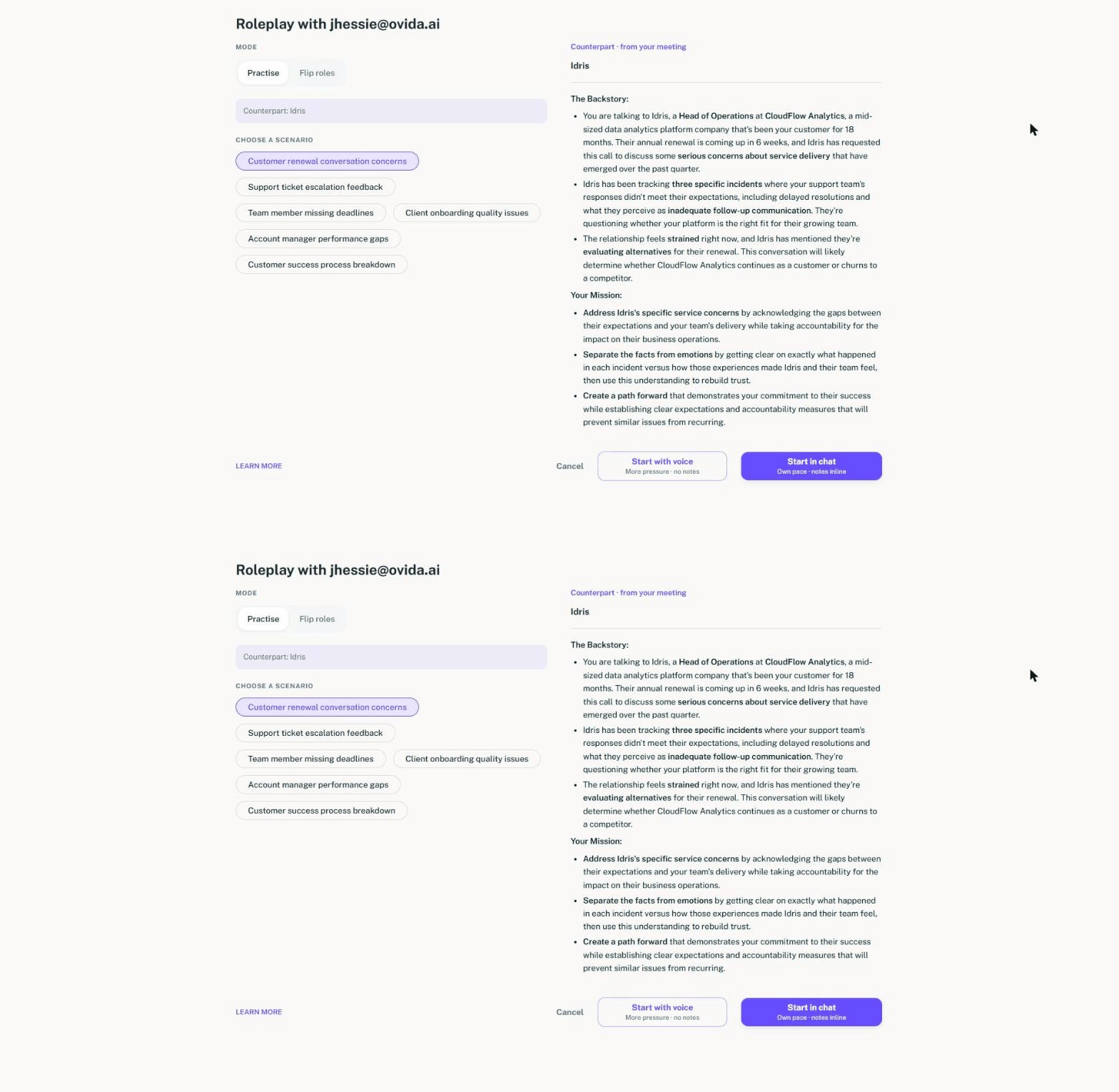
A new roleplay setup screen. Setting up a roleplay is now clearer. Choose how you want to practise, then pick your scenario source: Ready-made (previously called predefined scenarios), AI-tailored (scenarios generated for your skill), or Your own (describe the conversation you have in mind). Choose the scenario, choose who you will speak with, then click Start with voice or Start in chat.
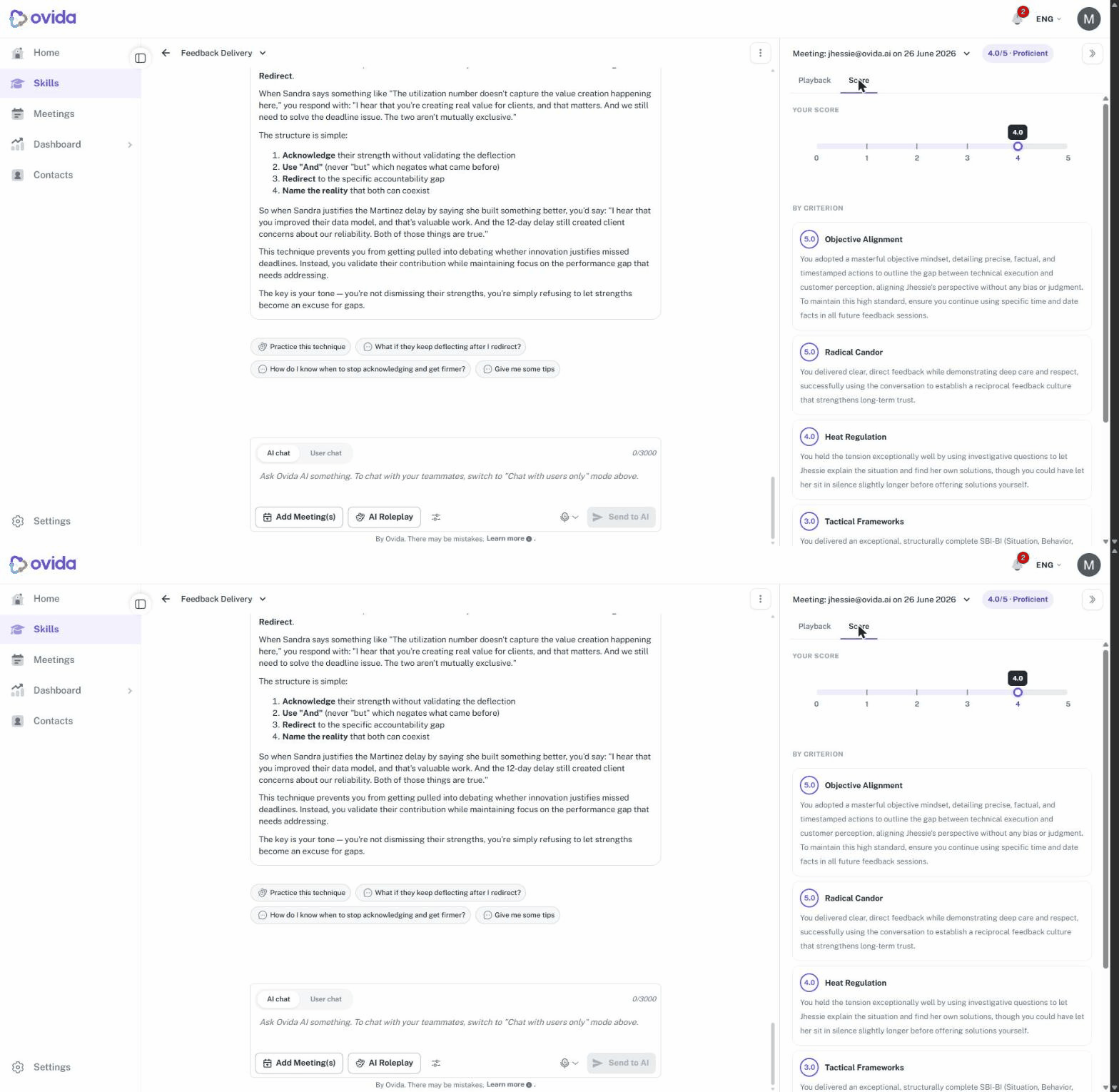
View scores now opens the score panel. Clicking View scores on an AI chat message now opens the score details directly in the right-hand context panel, so your scores live in one place. The old score dropdown popup has been removed.
Redo a roleplay from the Scenario tab. The Redo button now also appears in the Scenario tab of the roleplay right panel, so you can re-run any past scenario as a fresh, independent attempt.
Starting a roleplay from a transcript is quicker. Launching a roleplay from a meeting transcript now starts more quickly, even for longer transcripts, and you can start one without picking a specific line.
Fixes and improvements
This release also includes smaller fixes and polish across skills, meetings, and uploads, including smoother guest access to scheduled meetings and more reliable transcript uploads.
Getting help
If you have questions about anything in this update, email support@ovida.org