What's new in Ovida (30 September 2026)
Last updated: September 30, 2026
You can now switch between your organisations from one menu, and your profile, settings and log out have moved to the same place.
New and improved
Switch between organisations from one menu. If you belong to more than one organisation, open the menu on the Ovida logo at the top-left and choose an organisation under SWITCH WORKSPACE. The skills, meetings and teams you see always belong to the organisation you have chosen. If you have several organisations and have not picked one yet, Ovida asks you which to open before it shows anything. If you belong to only one organisation, nothing changes for you.
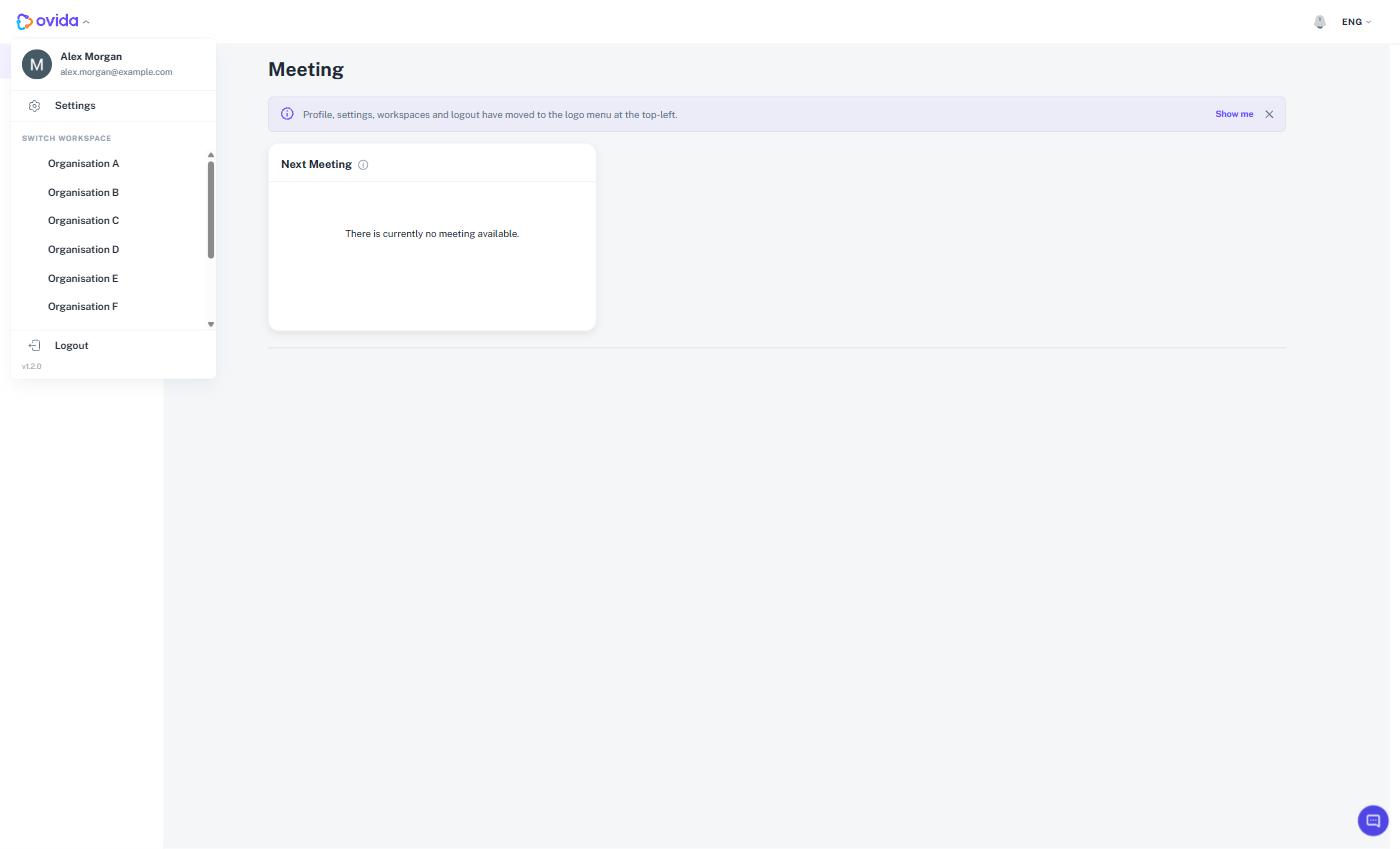
Profile, Settings and Log out in one place. Your name, email, Settings, the workspace list and Log out now sit together in the logo menu at the top-left. A short notice on the Home page points you there, with a Show me button that opens the menu, and you can close it when you no longer need it. The menu is available in every language Ovida supports.
Ready-made scenarios appear in the order they were designed to be practised. When a skill includes several ready-made scenarios, such as a training step, a readiness check and a final application, you now see them in that sequence. The order is set when the skill is configured for your organisation, and the step names stay exactly as they are written.
Guided demos run with the right counterpart. Where a scenario includes an AI demo, the demo now uses the counterpart chosen for that scenario, so what you watch matches the conversation you are about to practise. Where a scenario offers only a demo, or only practice, the setup screen shows just that option.
Clearer feedback on uploaded transcripts. Ovida is built for one-to-one conversations. If a transcript contains more than two speakers, the message now tells you how many were found, so you can tidy the file and upload it again.
Meeting status updates on its own. When a meeting finishes processing, its status on screen changes by itself as soon as it is ready.
Fixes and improvements
This release also includes smaller fixes and polish across roleplays, skills, relationships, meetings and the admin tools. Roleplay setup and playback are smoother, conversations keep your place as they grow, and skill and relationship screens adapt better to narrower windows.
Getting help
If you have a question about anything in this release, email support@ovida.org.