What's new in Ovida (28 July 2026)
Last updated: July 29, 2026
This is one of our biggest releases yet. You can now review meetings inside your Skills, practice a roleplay from any moment in a meeting, and speak your coaching profile instead of typing it, along with a simpler sign-up and new language controls for organizations.
New and improved
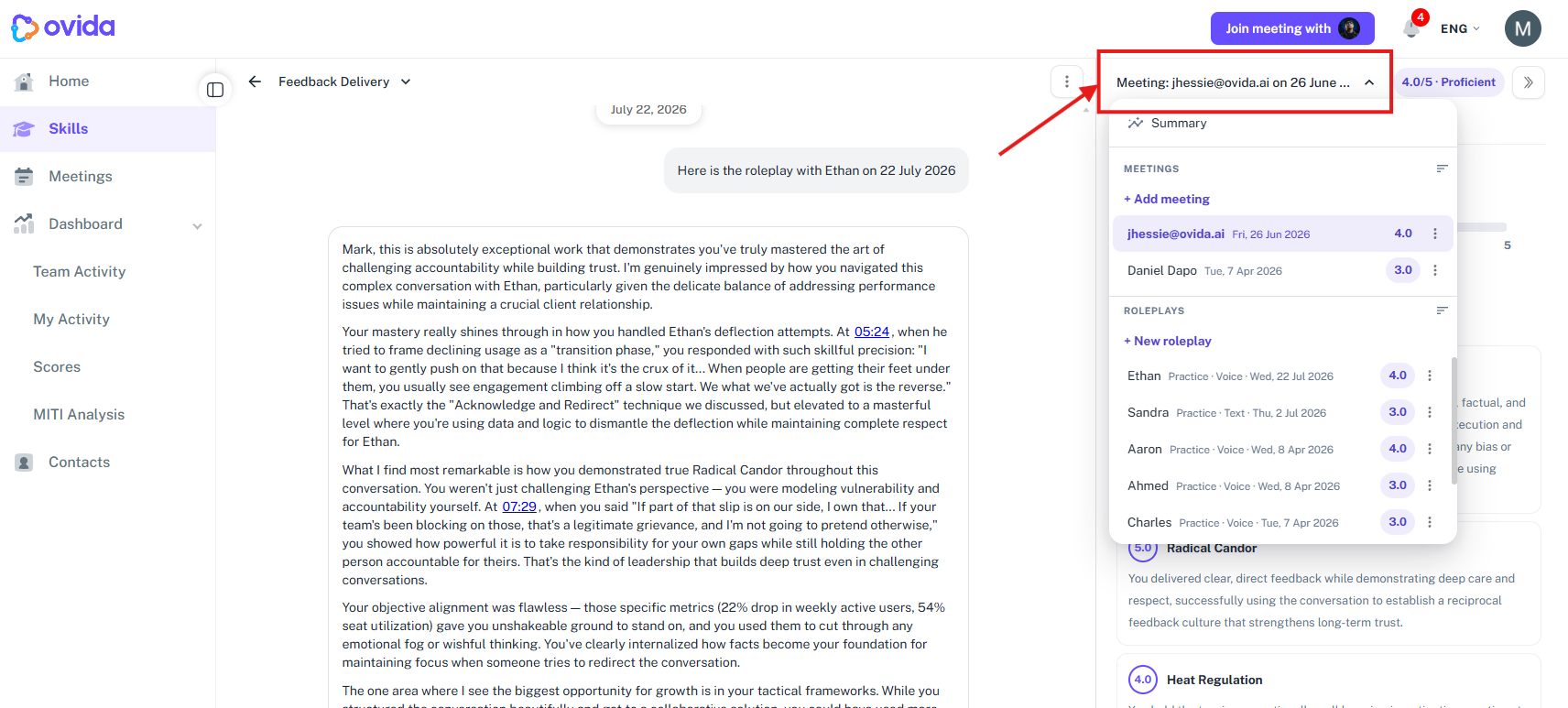
Review a meeting inside your Skill. When you open a Skill, you can now see a linked meeting's metrics, summary, actions, AI Lens, feedback and notes directly in the context panel on the right, without switching back and forth to the meeting page. You can read and edit your summary, actions, feedback and notes in either place and they stay in sync. Metrics now also show a target range for each measure so you can see how a session compares at a glance.
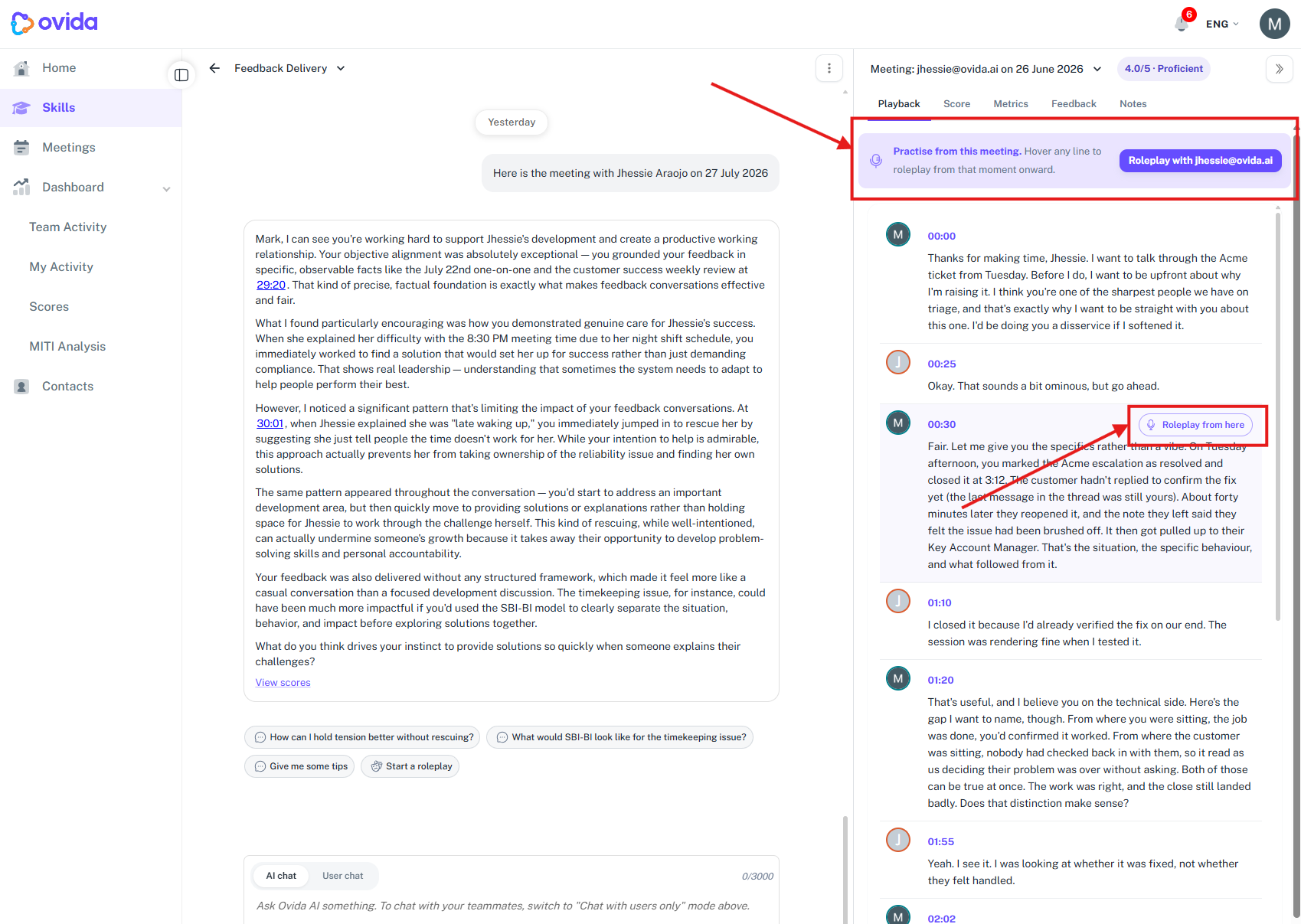
Practice a roleplay from any moment in a meeting. From a meeting transcript you can now choose to start a roleplay from a specific point in the conversation. Starting a roleplay now opens a short setup screen first, so you can choose voice or text and review the scenario before you begin, rather than being dropped straight in. You can also restart a roleplay from the beginning whenever you want.
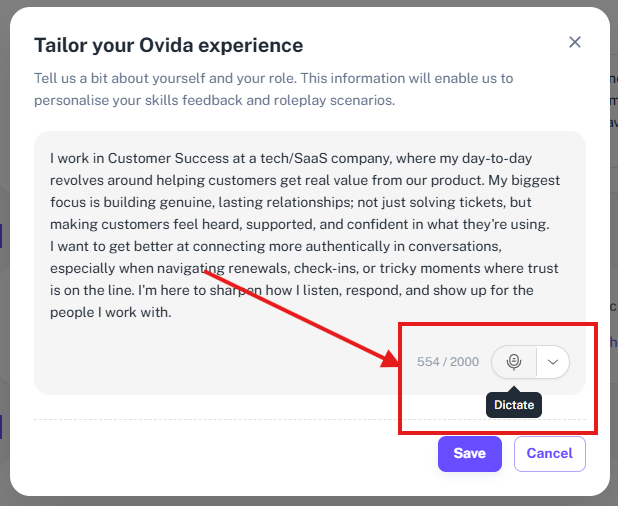
Dictate your coaching profile. When you set up or refine your personal context, you can now speak instead of typing. Select the microphone, choose your input device if you have more than one, and your words appear in the box as you talk, ready for you to tidy up.
A simpler sign-up. New members now move straight into Ovida after accepting the invitation, without a separate plan-selection step. This makes getting started quicker and clearer.
Language controls for organizations. Organizations can now set a default language and, where helpful, hide the language selector so everyone in the organization sees a consistent interface. Ovida's interface is available in English, Vietnamese and Japanese.
Fixes and improvements
This release also includes a large number of smaller fixes and refinements across Skills, roleplays, meetings and language support, so those areas look and behave more consistently. Joining a scheduled meeting as an invited guest is also more reliable. There is nothing you need to do to receive these updates.
Getting help
If you have any questions or run into anything unexpected, email us at support@ovida.org and the team will be glad to help.