What's new in Ovida (9 September 2026)
Last updated: September 17, 2026
Relationships is a new way to work on one working relationship over time, and your meeting statistics now show the range you are aiming for.
New and improved
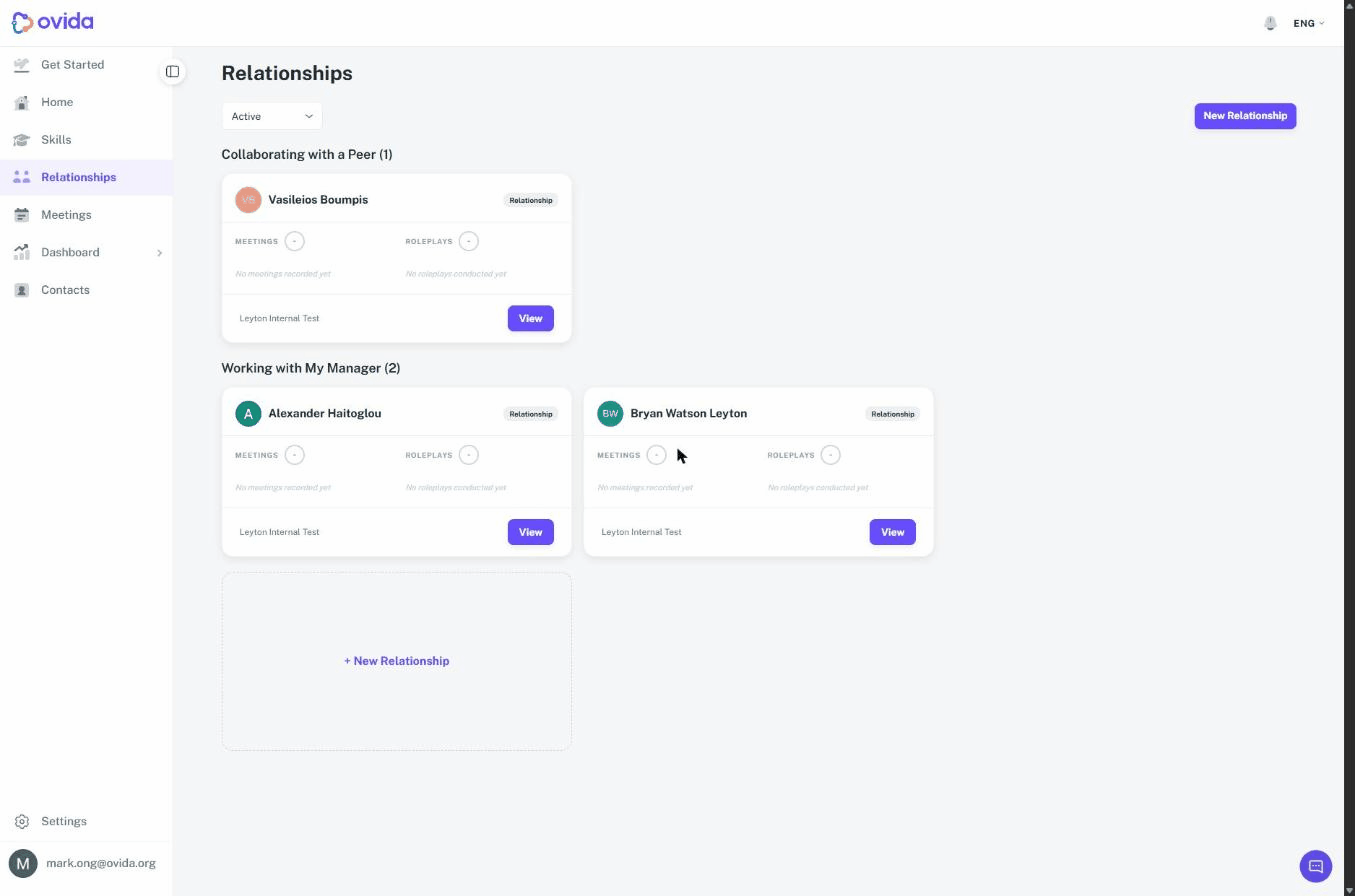
Relationships, an ongoing track for one working relationship. Skills help you work on a topic. Relationships help you work on a person. Relationships appears in the left-hand menu, below Skills, and opens a dashboard of the relationships you are tracking, grouped by type, for example your manager, your peers and your team members. Each relationship has its own thread where you talk to Ovida, add meetings you had with that person, and practise. You choose the type and the person when you start, and the track is named after them and their type rather than after a topic.
ℹ️ Relationships is being switched on organisation by organisation, so you may not see it yet. To ask about enabling it for your organisation, email support@ovida.org.
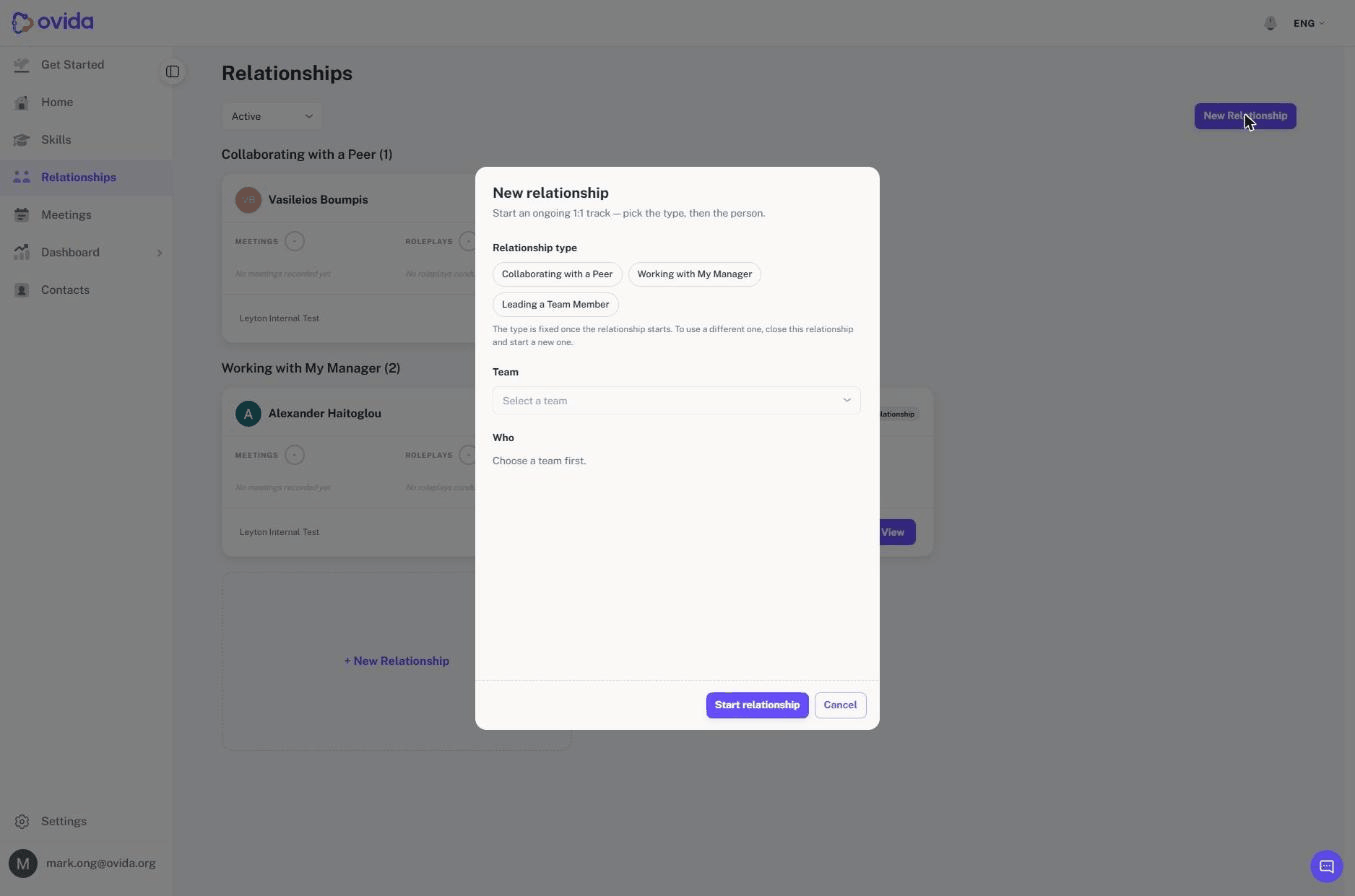
Starting a relationship. Choose New Relationship, pick the type, pick the team, then pick the person from that team. The type is fixed once the track starts, so if someone's role changes you close the current track and start a new one. You can hold one active relationship with a given person in a team at a time, and anyone you are already tracking is shown in the list already marked. Closing a relationship frees that person up again, under any type, and a closed track can be reopened.
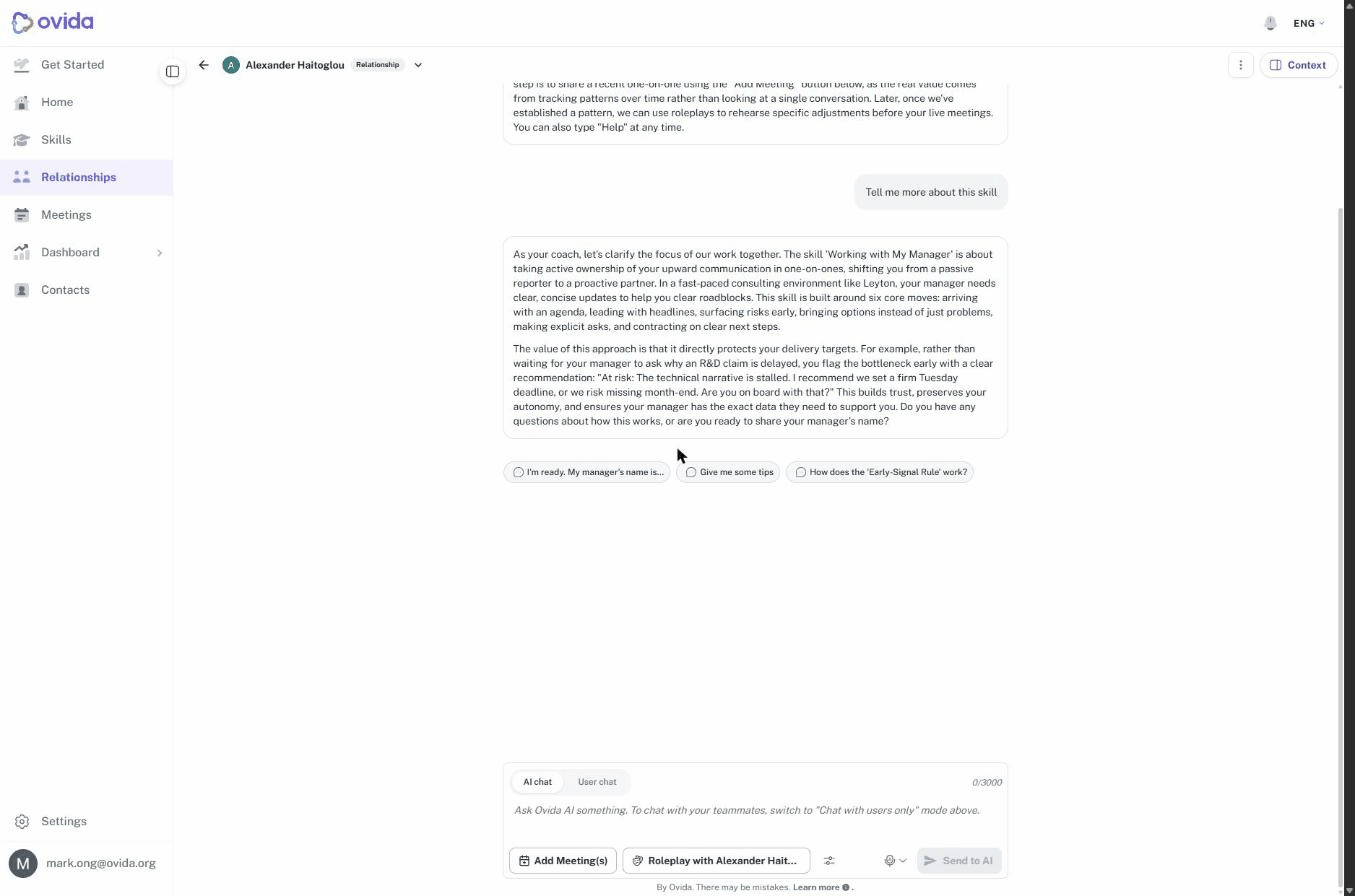
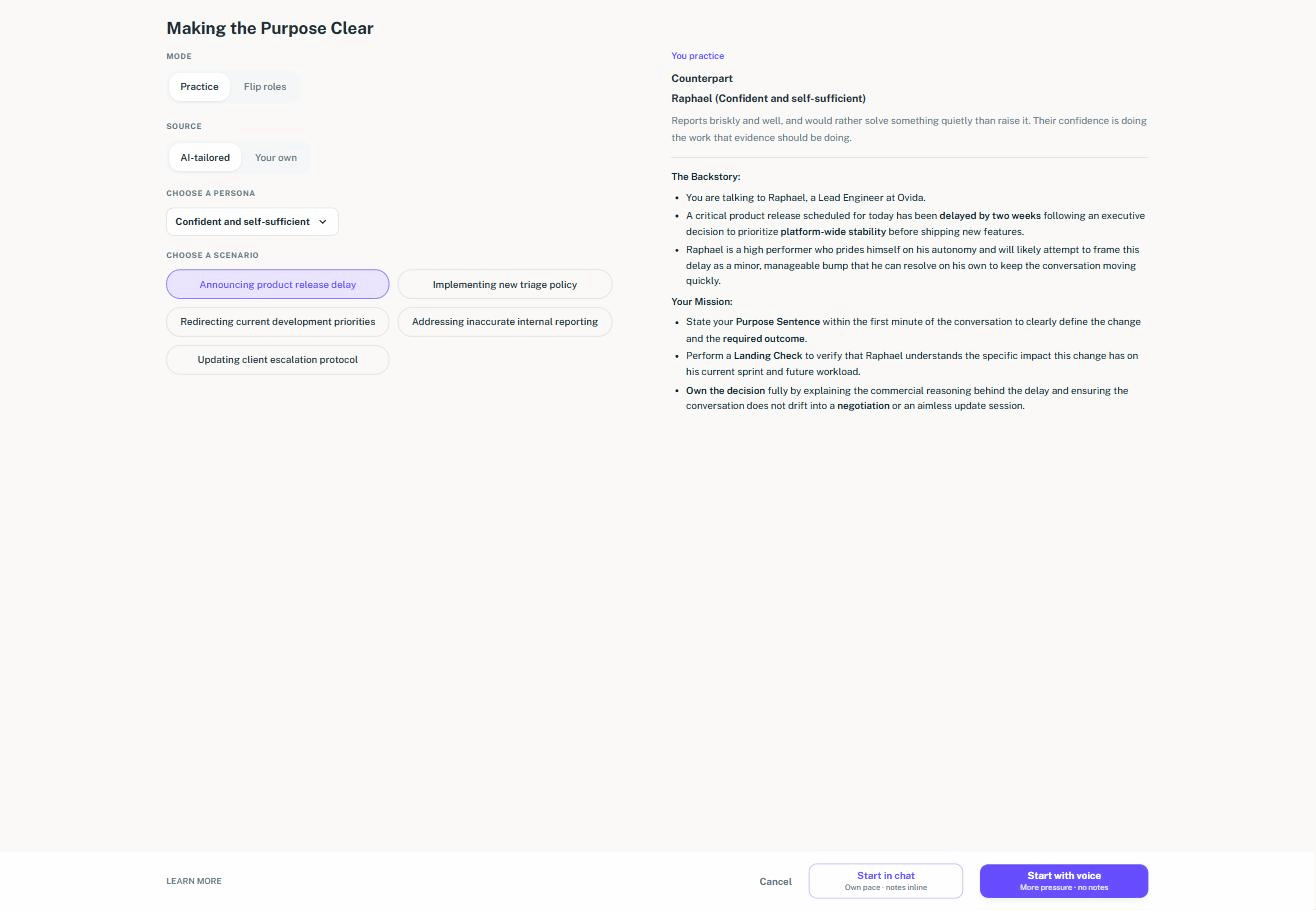
Meetings and practice stay tied to that person. When you add a meeting to a relationship, the picker only offers meetings that person took part in, so you are not scrolling past the rest of your history. Uploading a file into a relationship fills in the other participant for you and locks it to that person. Practising from a relationship names them too: the buttons read Roleplay with followed by their name, and your practice partner is set to that person rather than an invented character. Voice and gender remain yours to choose.
Relationships in team settings. Team owners and admins have a Relationships activity in the Team activities tab, alongside Skills, so a team can use relationships without using skills, or the other way round. As with every other activity, it shows as locked if your organisation does not have it enabled.
Your meeting statistics now show the range you are aiming for. Each statistic on a session is presented against a target range, and that range is set for the skill you are working on rather than being the same for everyone. The share of voice that suits a teaching conversation is not the share of voice that suits an interview, and the range now reflects that. A Get AI feedback action on the summary page gives you Ovida's read on the numbers when you want it.
Talk time for uploaded transcripts. Upload a transcript and you now see a talk time figure for each participant, worked out from how much each person said. Uploaded transcripts previously carried no talk time at all.
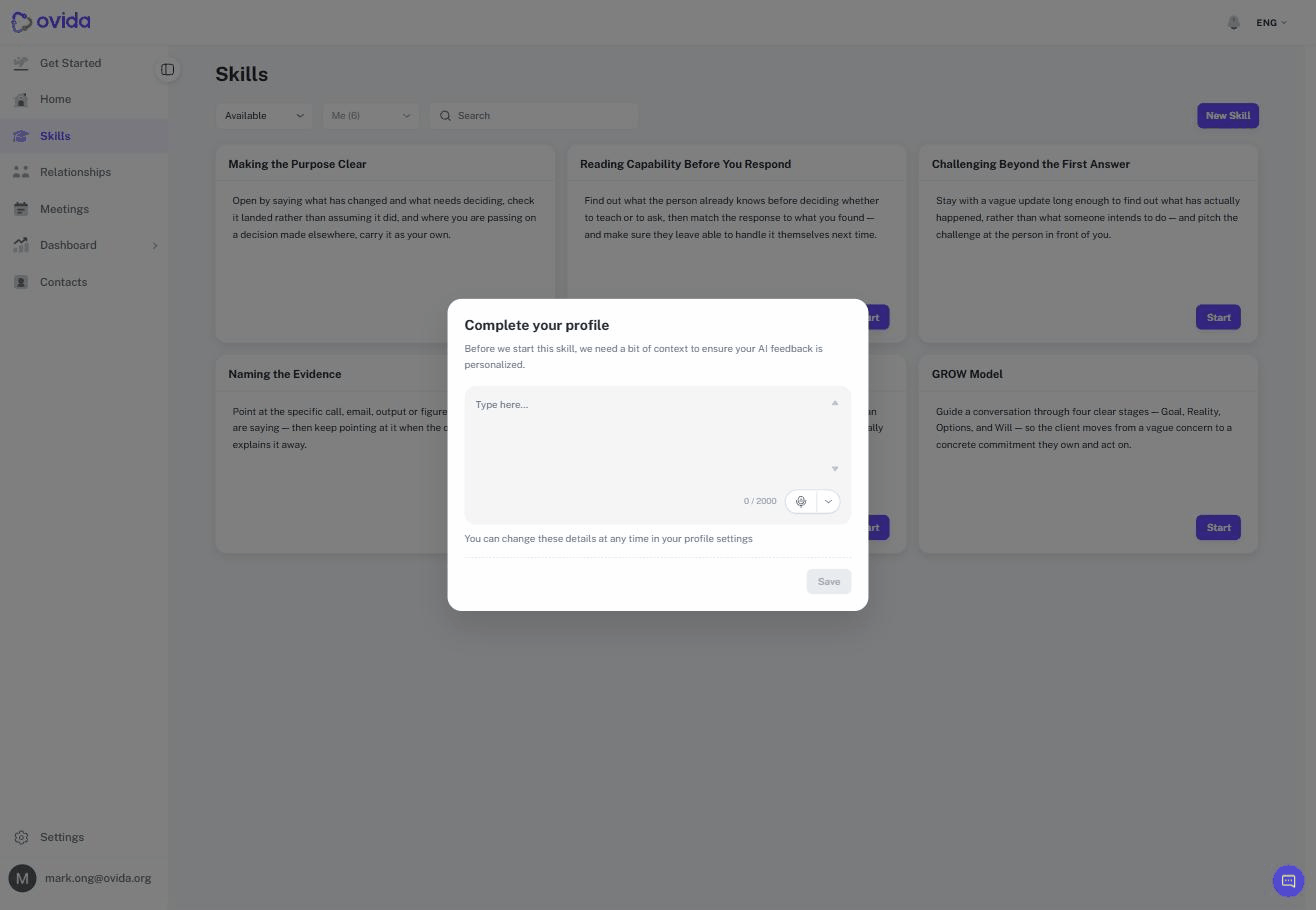
A little context before your first skill. If your profile is missing the details Ovida uses to tailor feedback, you are asked for them once before starting a skill. It takes a moment, and it makes the feedback specific to your role and your situation rather than generic.
ℹ️ Since 16 September 2026, filling in these details is optional. You are still asked for them, and they still make your feedback more specific, but they no longer have to be completed before you start a skill.
You see only the practice modes you can use. Practice modes your organisation has not enabled are now hidden rather than shown and unavailable, and the Skills menu item is hidden when skills are not available to you. Fewer dead ends to walk into.
Fixes and improvements
This release also includes a wide set of smaller fixes and polish across skills, roleplays, relationships, meetings, statistics and the admin tools. Question and talk time figures are more accurate, skill search behaves the way you would expect and filters as you type, shared sessions handle the full scoring range, roleplay setup and playback are smoother, and a number of on-screen messages and labels now read more clearly.
Getting help
If you have a question about anything in this release, email support@ovida.org.