What are Relationships in Ovida?
Last updated: September 9, 2026
A relationship is an ongoing track for one working relationship, where a skill is a track for one topic.
Skills help you get better at something, listening or questioning or giving feedback. Relationships help you get better with someone: your manager, a peer, someone who reports to you. The two work the same way underneath. The difference is what the track is about.
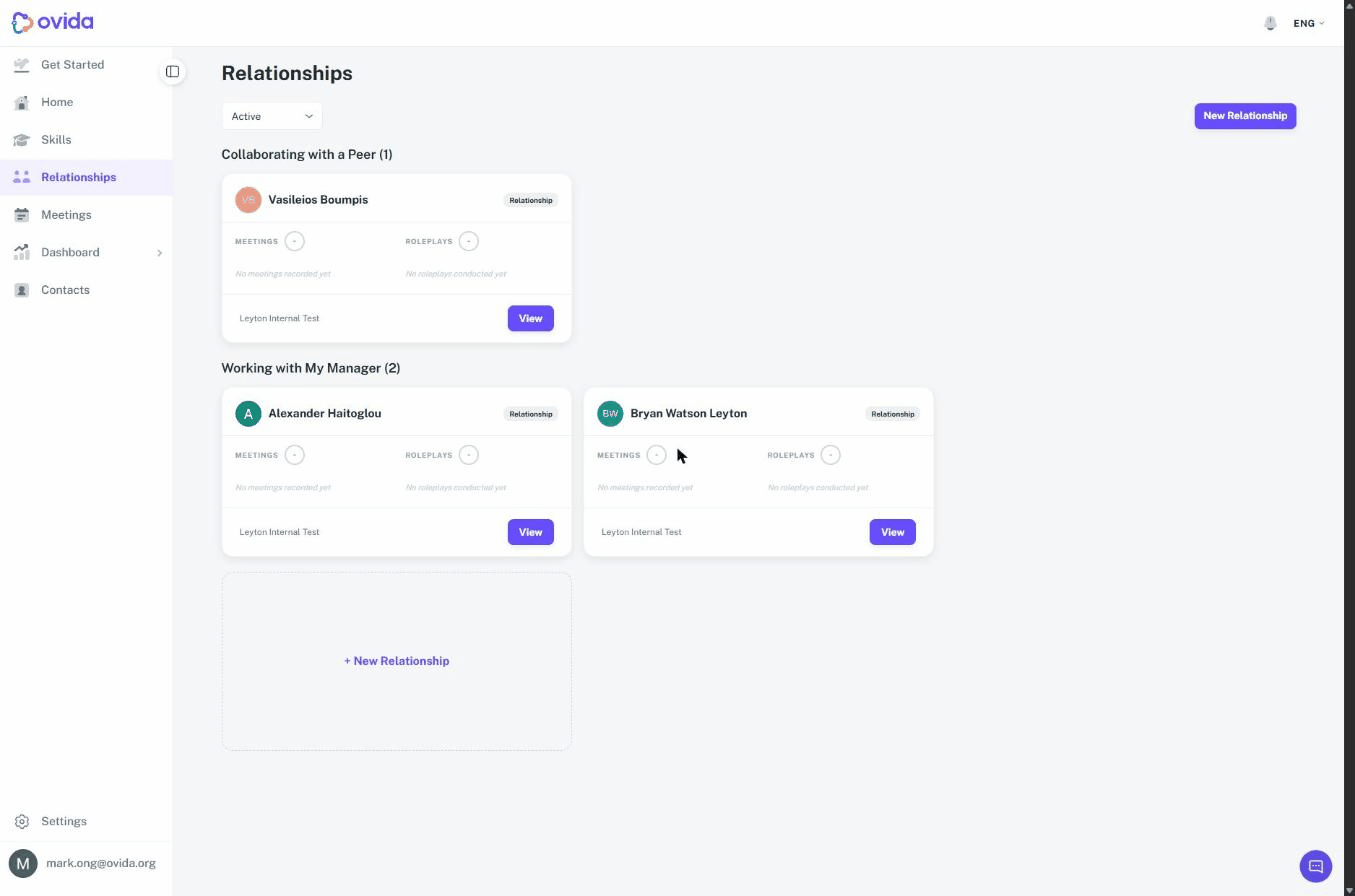
Open Relationships in the left-hand menu, below Skills, to see the relationships you are tracking. They are grouped under the relationship type they belong to, with the number in that group beside the heading, for example Working with My Manager (2). A type with nothing in it is not shown.
ℹ️ Relationships is being switched on organisation by organisation. If you do not see it in your menu, your organisation does not have it yet. Email support@ovida.org to ask about it.
What a relationship track holds
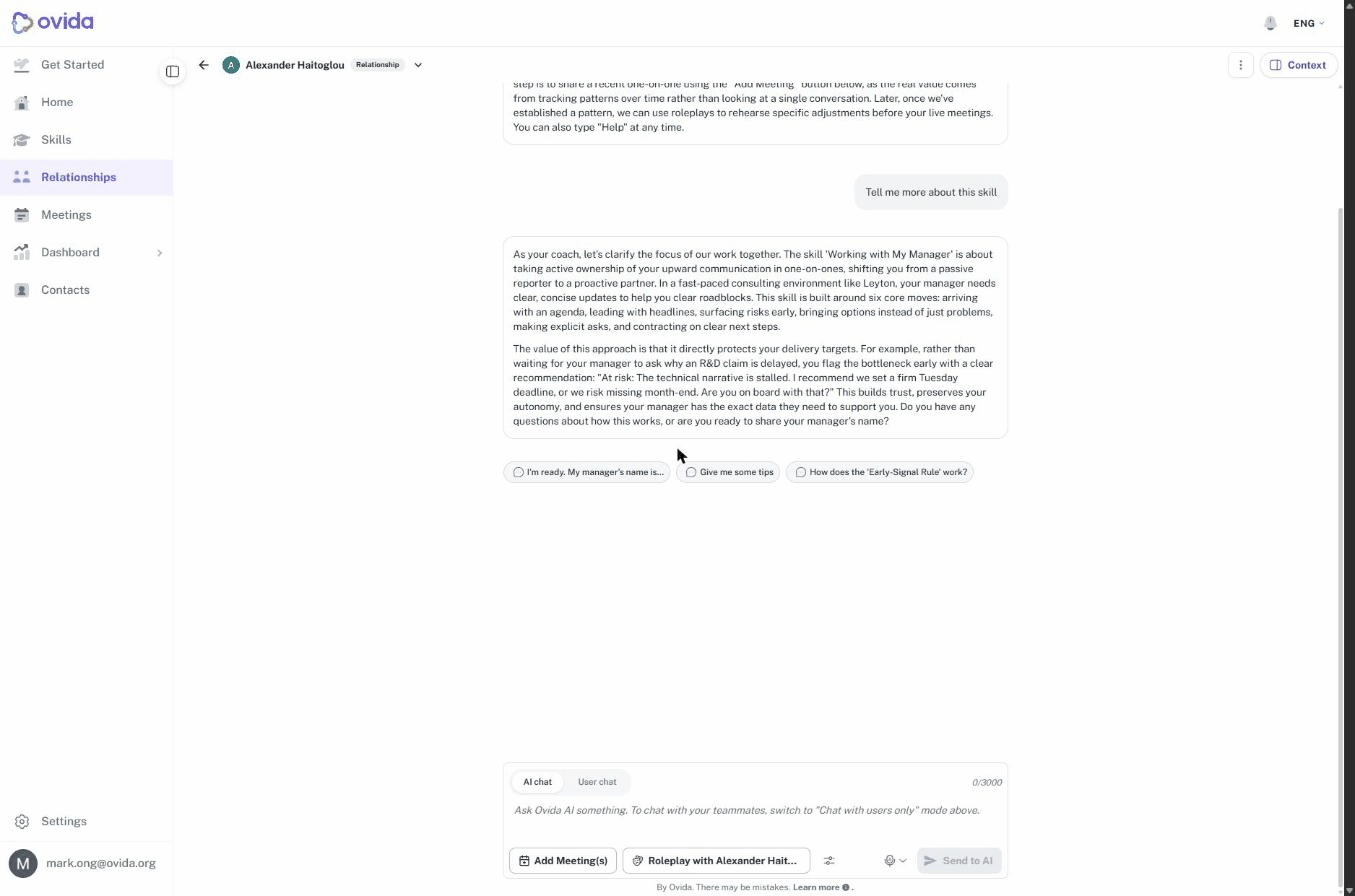
Each relationship has its own thread, laid out like a skill's page:
A conversation with Ovida about how the relationship is going
Meetings you had with that person, added to the track
Practice sessions with that person as the subject
Scores and progress over time
Active and closed relationships
An active relationship is one you are working on now. Its card shows the person, a Relationship badge, your meeting and roleplay scores, the team the relationship sits in, and a View button that opens it. The relationship type is the heading the card sits under rather than something on the card itself.
Closed relationships are kept. They show View and Re-open. Reopening brings a track back to active, which is useful when you start working with someone again after a gap.
How a relationship is named
Relationships are named after the person and the type, so a track reads as the person's name followed by their relationship type. You cannot rename a relationship. The name always tells you who it is about.