How do I navigate a skill's page?
Last updated: September 1, 2026
A skill's page has two panels: your conversation with Ovid on the left, and a context panel on the right with your meetings, roleplays, scores and progress.
Here's a quick video guide for this article.
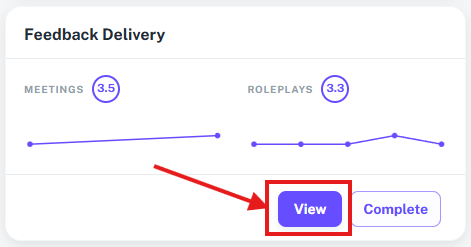
Open a skill by clicking View on a skill card on the Skills page.
The left panel: your AI coach
The left panel is your ongoing conversation with Ovid, Ovida's AI coach. This is where you ask for feedback, run roleplays, share meetings for analysis and request tips. Use the Add meeting(s) button to link meetings to the skill so Ovid can analyse them against the skill's criteria.
The right panel: your skill context
The context panel on the right starts collapsed. Open it to see everything connected to the skill in one place.
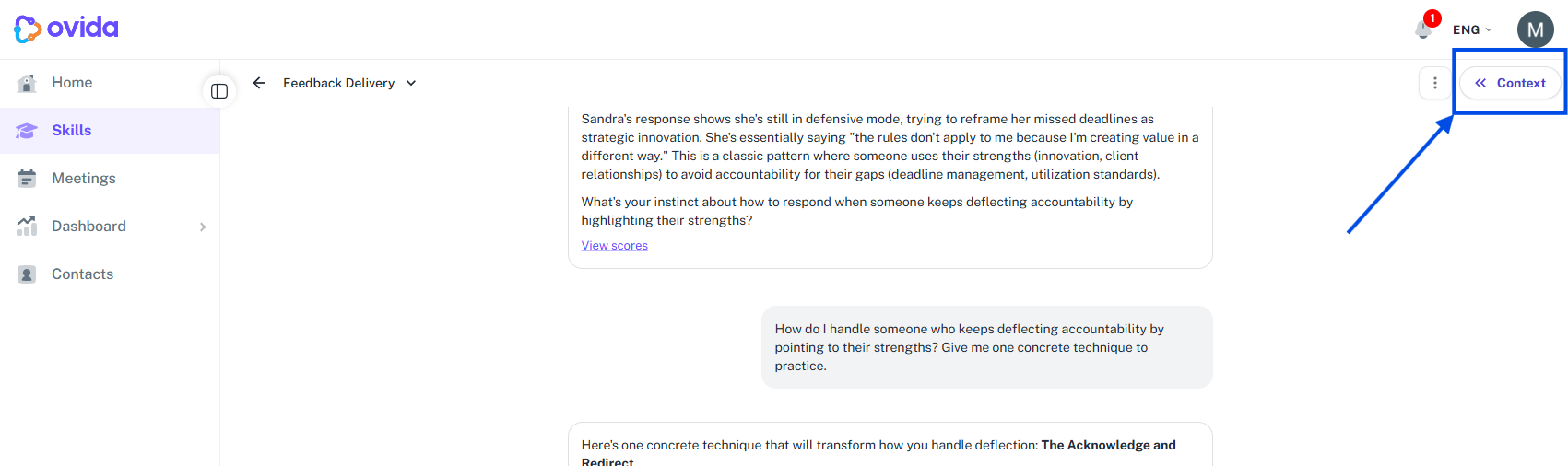
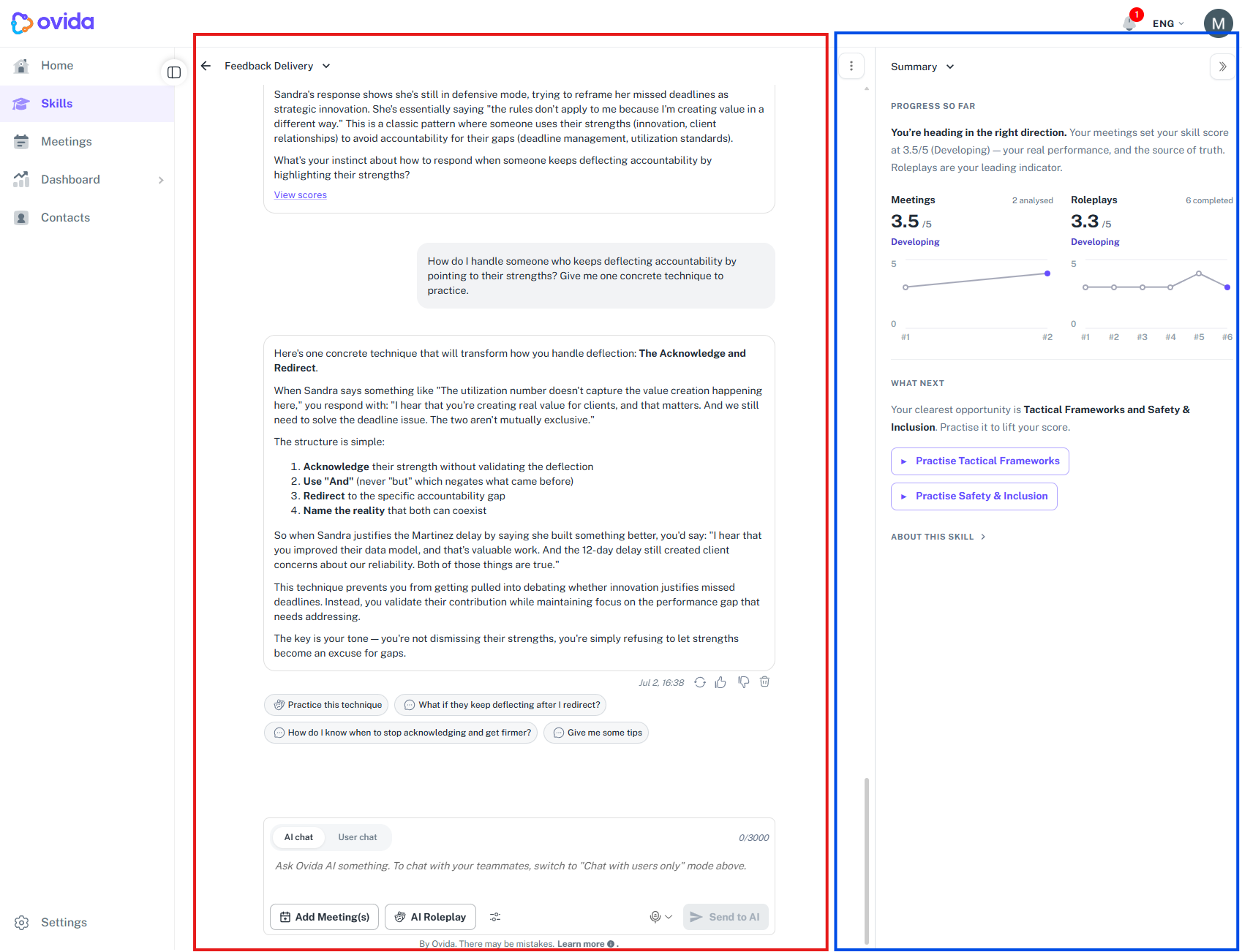
The panel includes:
Your charts. Your progress chart sits at the top of the panel. Each meeting or roleplay attempt is plotted in order (#1, #2, #3 and so on). Select a point to open that session.
Your score. Your current score and level name appear below the charts. Hover over a level name to see a description of that level.
Your progress chart. Each meeting or roleplay attempt is plotted in order (#1, #2, #3 and so on). Click a point on the chart to open that specific session.
Your meetings and roleplays. Lists of the sessions linked to this skill, with filter and sort controls and a score badge next to each session. Click a session or its VIEW button to open the score breakdown.
Your progress note
Below your score, Ovid writes you a short note in two parts: where you have got to in this skill, and what to improve next with concrete things you can do in Ovida. It draws on your scores from meetings and roleplays and on the conversation you have had in the left panel.
The note is written when you start a skill, so it is never empty, and it is rewritten each time you add a meeting or a roleplay. It does not change with every chat message, so if you have just been talking to Ovid, add a meeting or run a roleplay to see it update.
Underneath the note are two suggestions, each a button labelled Roleplay followed by what it suggests practising. Selecting one builds a scenario from that suggestion and opens scenario selection with it ready to go. You will see only that one scenario there, and the practice type is already chosen, so all you pick is text or voice.
If you have no score and no meetings yet, you will see a prompt to add a meeting.
If you have meetings but no score yet, you will see a prompt to run a roleplay.
Tip If a meeting has been analysed but shows no score for the skill, the conversation may not have covered what the skill measures. Try linking a different meeting where this skill was a focus.