What team data can a Team Owner or Admin access?
Last updated: May 25, 2026
Team Owners and Admins can see member rosters, meeting lists, usage, the team dashboard, and team metrics — but they can't access individual meeting recordings without being added as observers.
The Teams page gives Team Owners and Admins a consolidated view of their team's activity. Click into a specific team to see:
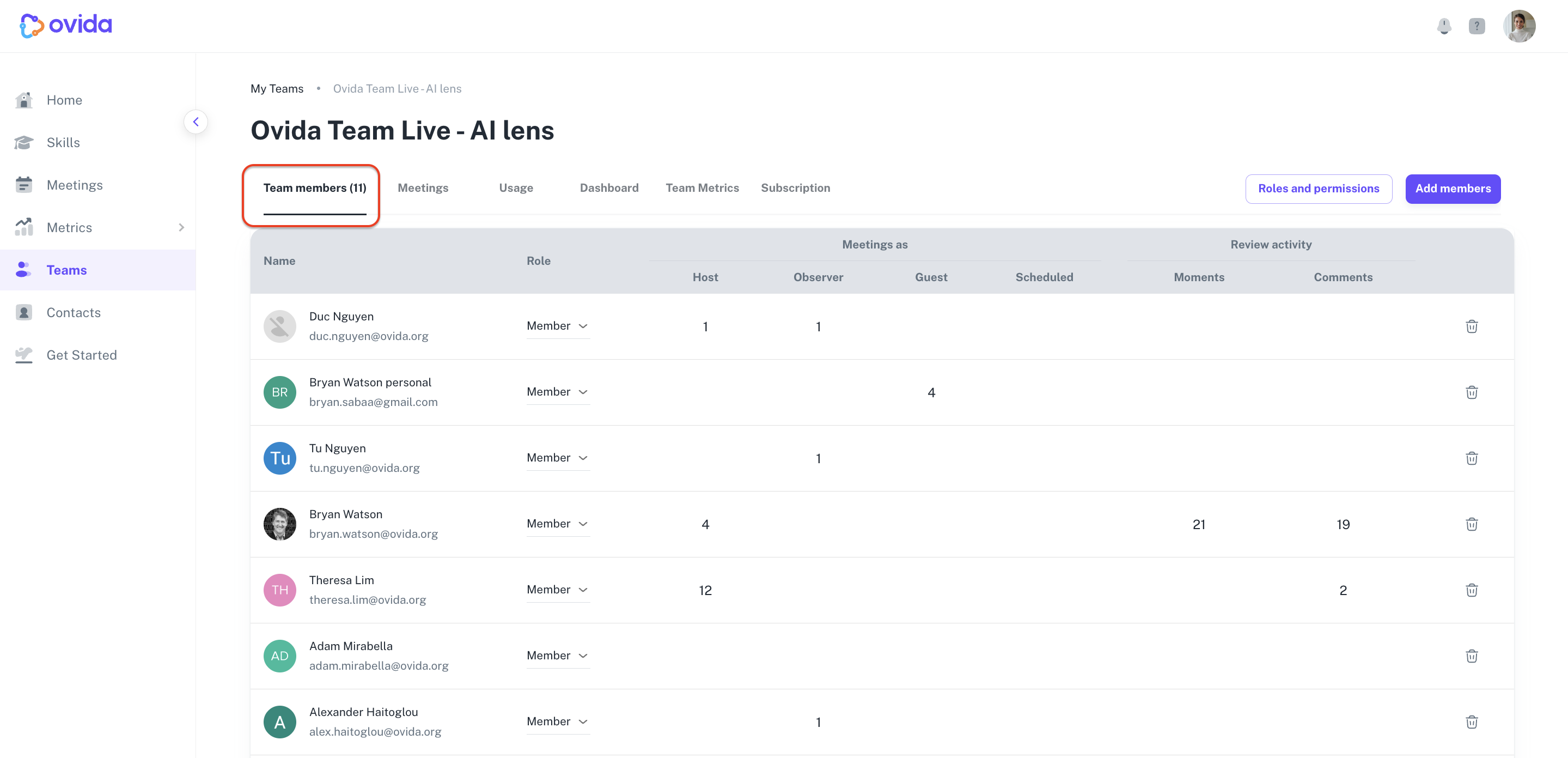
1. Members, roles, and activity
For each team member, you can see:
Their role (Owner, Admin, Assistant, Trainer, or Member)
The number of meetings they've completed or scheduled as host, guest, or observer
Activity summary: comments and moments they've added across all meetings
2. Meetings allocated to your team
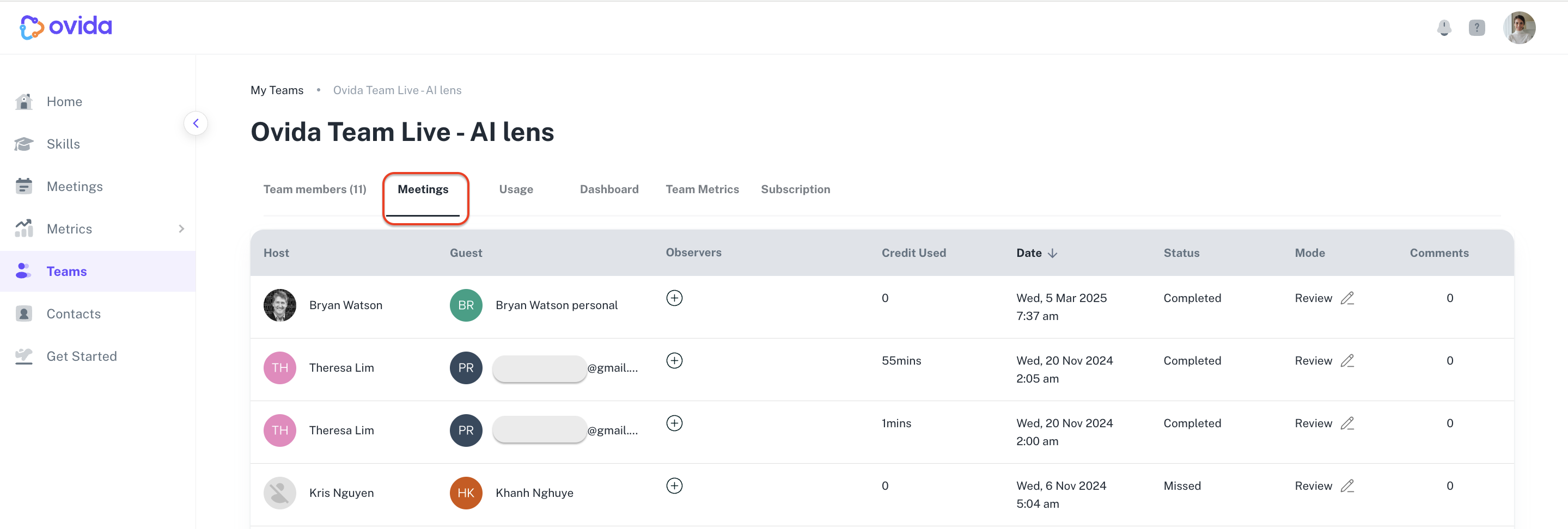
For each meeting allocated to your team, you can see:
Host, guest, and observer names
Date and time
Status (completed, scheduled, missed, deleted, processing)
Meeting mode (Train or Review)
Comments added
Credits used for that meeting
⚠ You don't have access to data from meetings your team members completed but didn't allocate to your team.
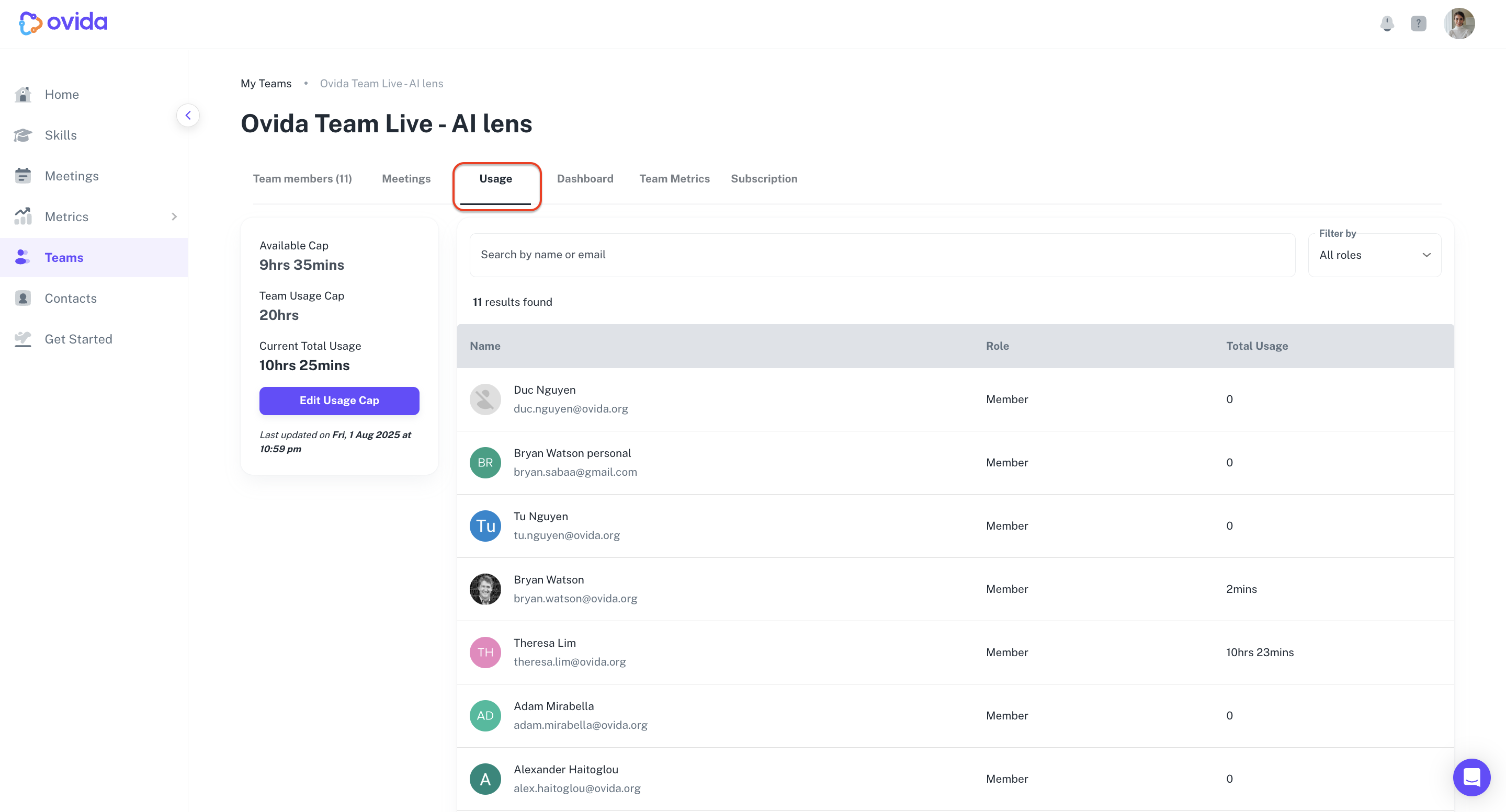
3. Usage and usage cap
Team Owners see the usage cap and can update it. Team Admins can see the page but can't make changes.
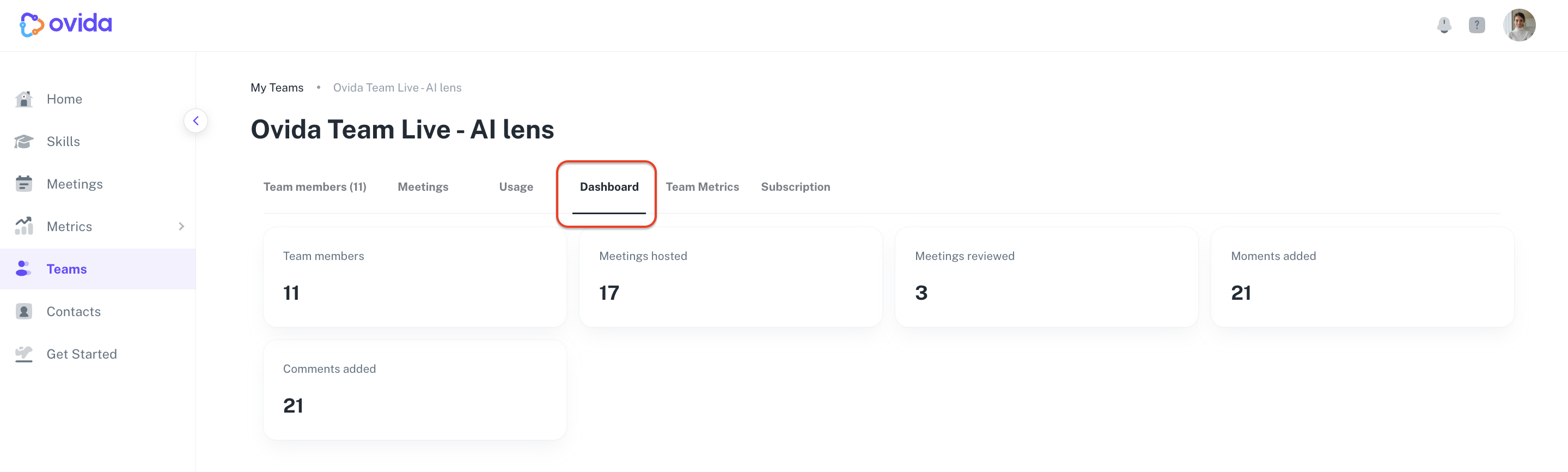
4. Team dashboard
Aggregate statistics for the team:
Number of team members
Meetings hosted
Meetings reviewed
Moments added across all team meetings
Comments added across all team meetings
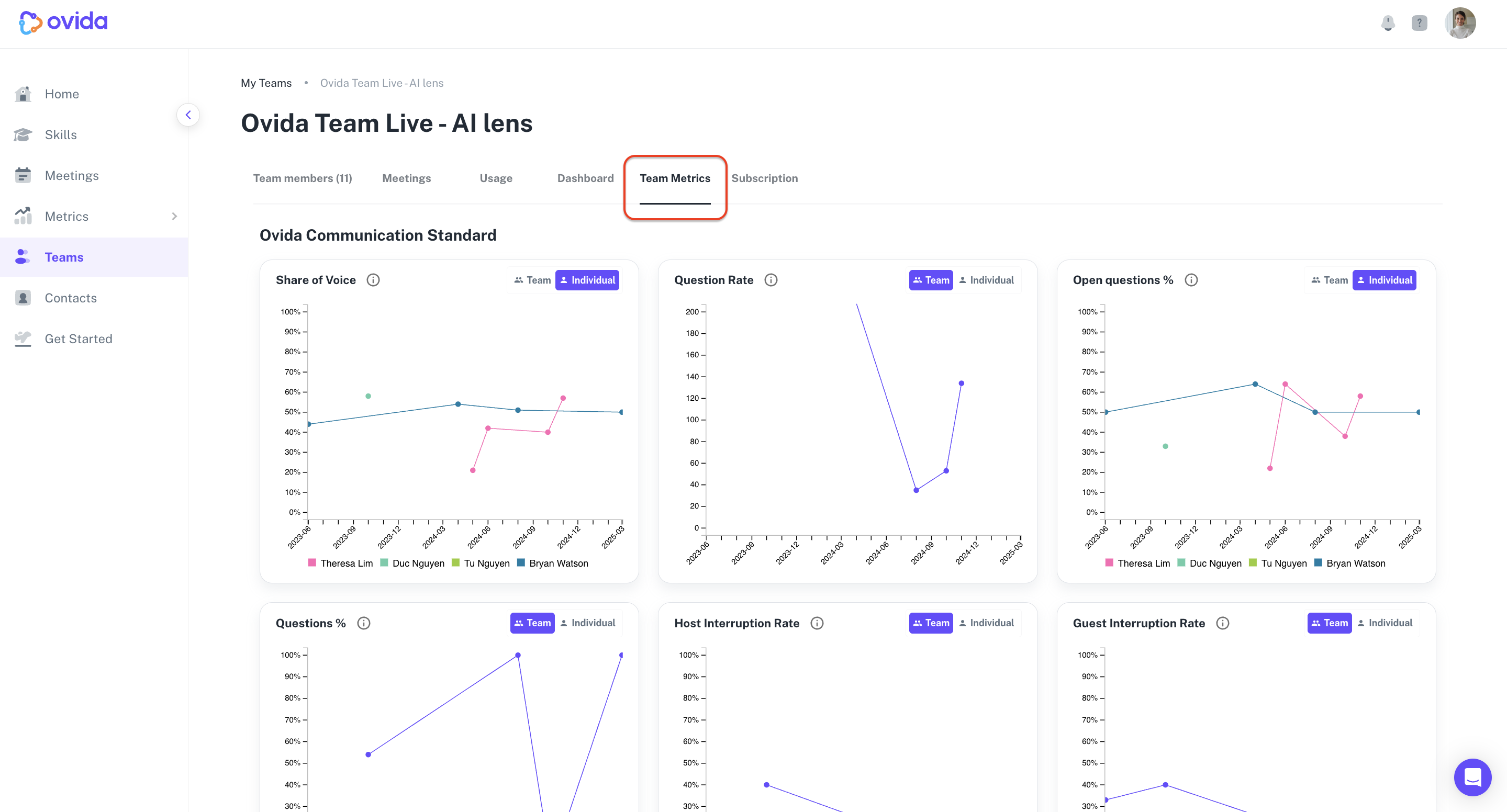
5. Team metrics
A consolidated view of communication metrics across the team. For details on what each metric measures and how to use them, see "What are team metrics?"
What they can't do
The list of team meetings shows that the meetings exist, but Team Owners and Admins can't access the actual meeting content (recordings, transcripts, AI analysis) unless they're added as observers on those meetings.
Other things they can manage
From the same Teams page, Owners and Admins can also:
Add or remove team members and assign roles
Add or remove observers on team members' meetings
Change the meeting mode for team meetings
For Owners only:
Manage billing and subscription
Adjust the team's usage cap