How does the AI Lens work?
Last updated: May 25, 2026
The AI Lens analyses your meetings against the ICF PCC markers, showing where you demonstrated key coaching competencies and providing evidence for your application.
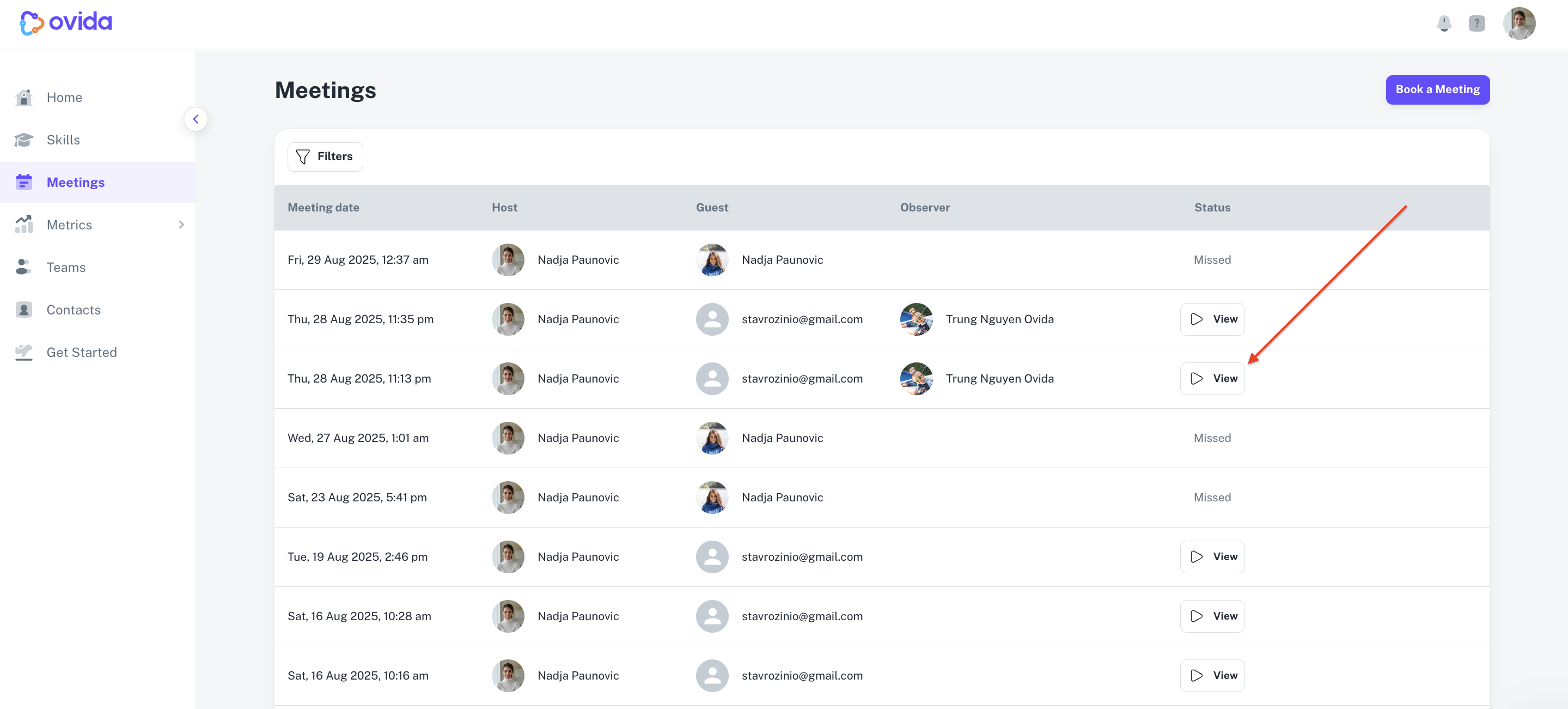
To open the AI Lens, go to Meetings and click View next to a meeting that has been processed.
What you'll see on the AI Lens tab
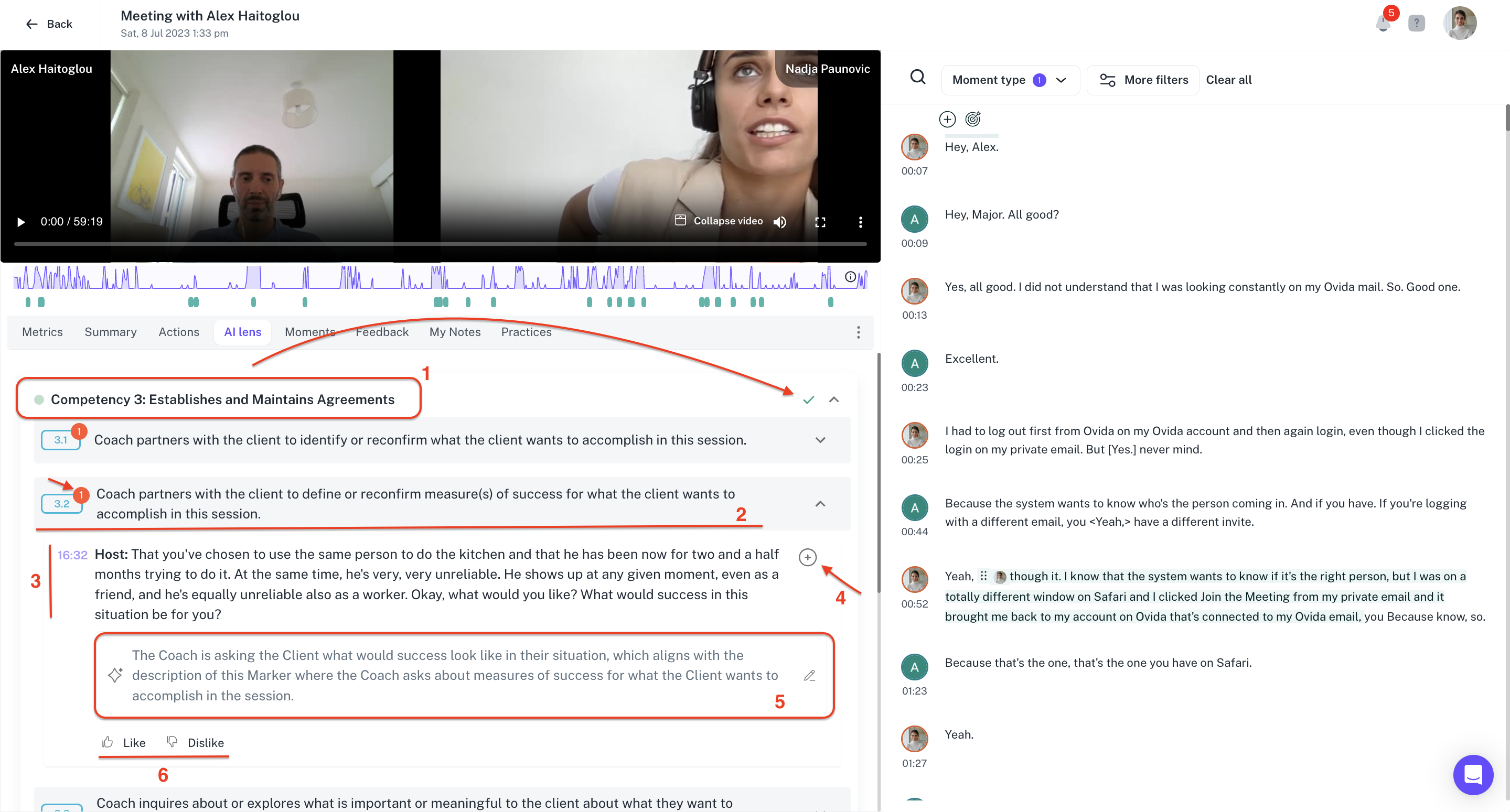
The AI Lens tab has six core elements:
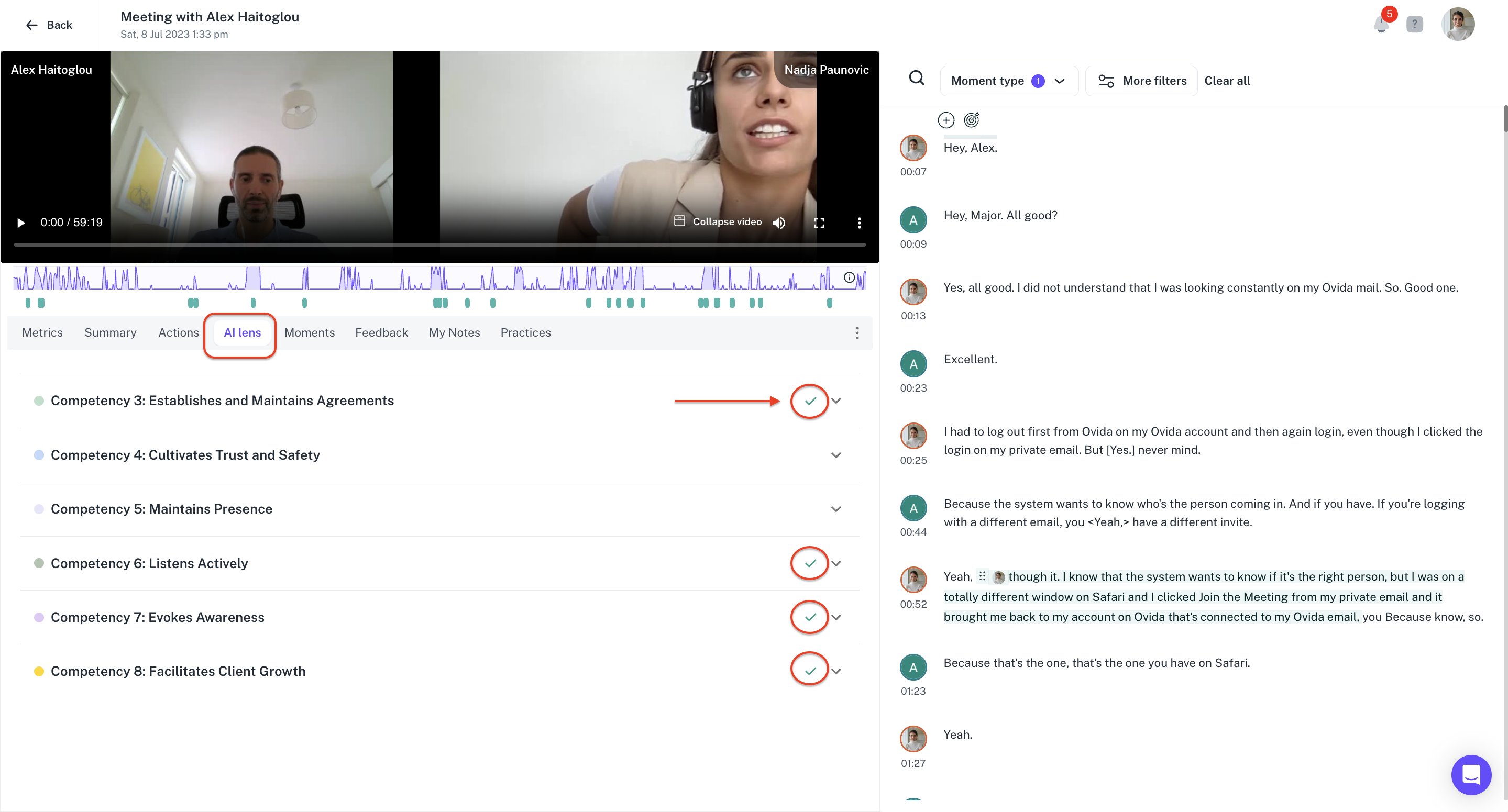
Checkmarks highlight instances where you demonstrated a specific competency. Click one to see which markers in that competency have been achieved.
Markers are numbers showing moments that demonstrate a specific marker. Click to see the instances within the transcript and recording.
Evidence building shows the part of the transcript where the AI identified the marker.
AI insights explain why the AI believes the instance aligns with the chosen competency and marker. You can edit this part.
Add moments lets you add an instance from the analysis to your transcript for your PCC application. Added moments are visible in the Moment type filter.
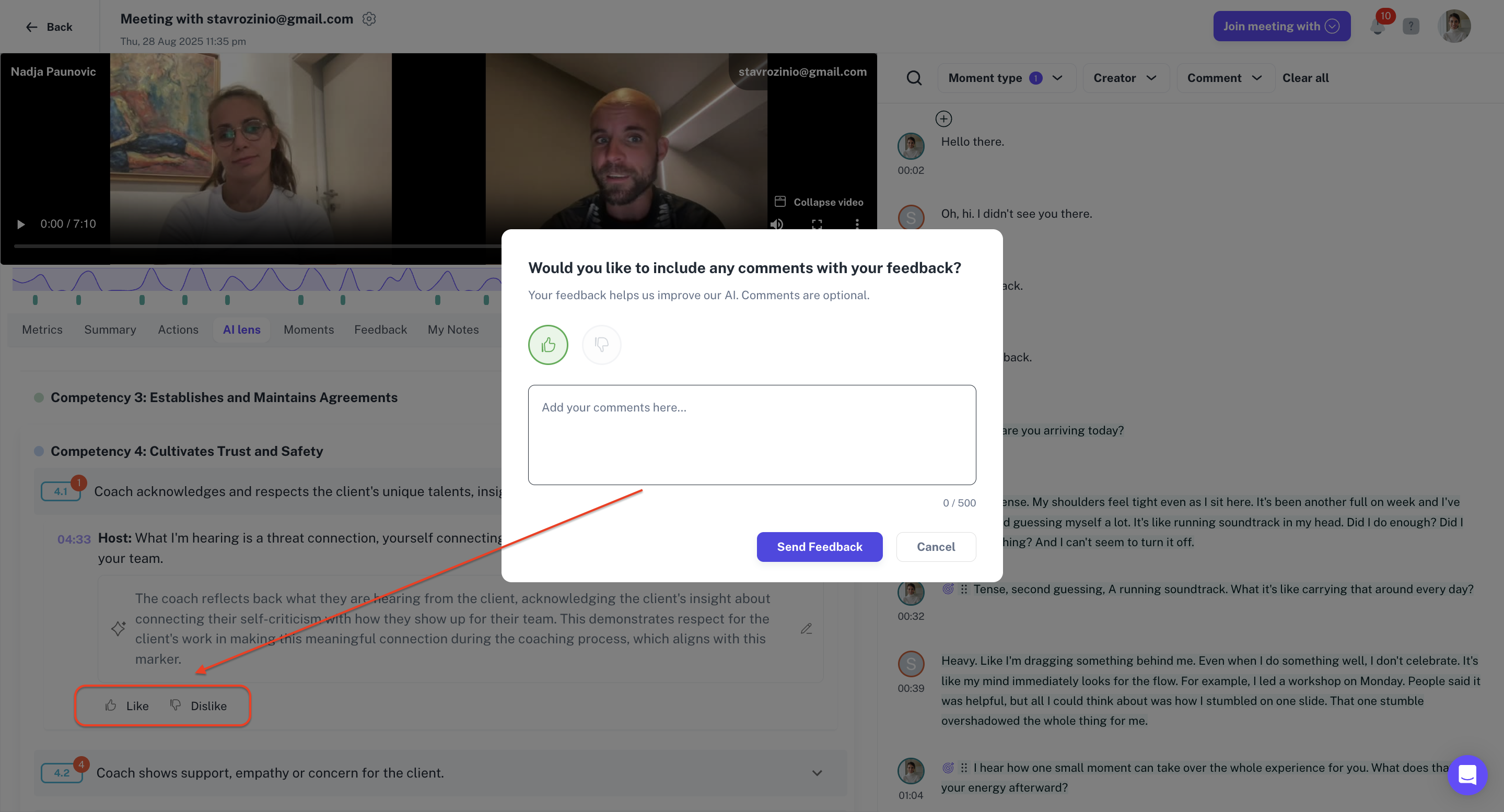
Model improvement lets you like or dislike the AI's analysis. Your feedback helps refine the model over time.
Using the AI Lens for PCC certification
Achieving Professional Certified Coach (PCC) status requires meeting the standards set by the International Coaching Federation (ICF). The AI Lens helps with this in two practical ways:
Identifying competencies you've already demonstrated. The AI surfaces specific moments where you met ICF criteria, with transcript evidence you can cite in your application.
Saving evaluation time. You don't have to re-watch the full session to find moments — the AI highlights them for you, freeing you to focus on coaching itself.
Help improve the model
You can like or dislike any AI analysis on the Lens tab. Your feedback helps train and refine the model, making it more accurate over time.