How do I add a meeting or a recording to a relationship?
Last updated: September 17, 2026
Open the relationship, choose to add a meeting, and pick from the meetings that person took part in. The list is filtered to them already.
Adding real meetings is what makes a relationship track useful. Ovida reads them and feeds what it finds into the conversation and your scores.
Adding a meeting
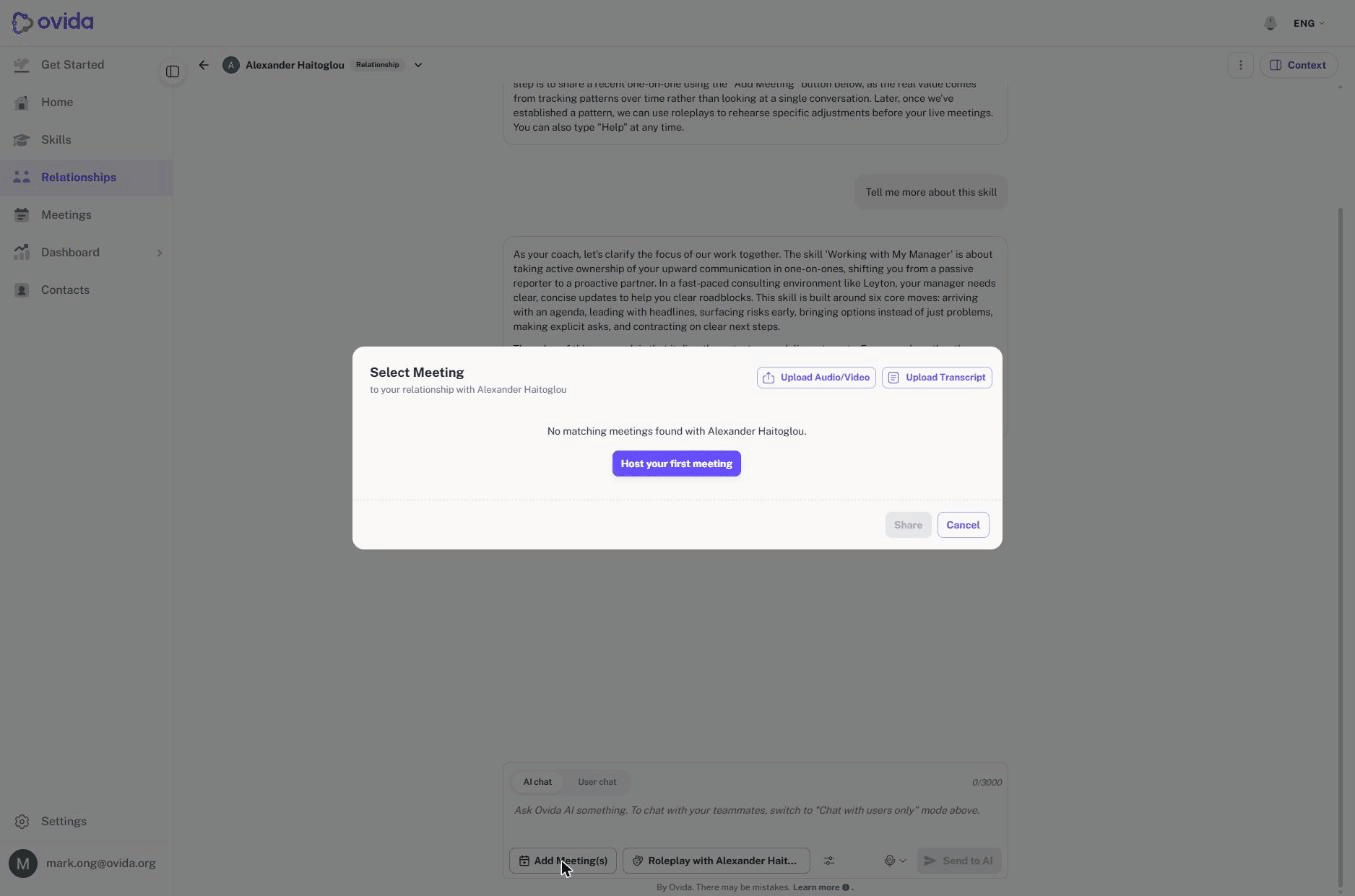
Open the relationship and choose Add Meeting(s) at the bottom of the thread. The picker shows only meetings that include the person the relationship is about, and it names them, so you will not see your meetings with anyone else. You can also upload straight from the picker using Upload Audio/Video or Upload Transcript.
Meetings where that person was only an observer are not offered. The track is about your conversations with them, so only meetings where they were the host or a guest count.
Uploading a recording or transcript
You can upload into a relationship as well. The other participant is filled in for you and locked to the person the relationship is about, with a note beneath confirming who the file should be a meeting with. That stops a file being filed against the wrong person.
💡 Tip If the file you want to upload is a meeting with someone else, add it to a skill or to your meetings instead, not to this relationship.
Practising with that person in mind
Practice started from a relationship is about them. The buttons read Roleplay with followed by their name, and your practice partner is that person rather than an invented character.
You are not asked to choose a persona or a name. Both come from the person the relationship is about. Ovida builds the practice partner from your meetings with them, and from nothing else, so what you practise against reflects how that person actually talks with you.
⚠️ This is why a relationship needs at least one meeting before you can practise. Until you have added one, the roleplay options on the relationship are unavailable and tell you to add a meeting with that person first.
You still choose the voice and the gender, and Ovida remembers what you chose for that relationship, so the next roleplay with the same person starts the same way. Change either at any time. A choice you make for one relationship does not affect any other.
Practice you start from a skill, from a meeting, or from a suggestion on a skill's summary page is unchanged.