How do I add Skills to teams?
Last updated: September 1, 2026
Team Owners and Team Admins can allocate Skills from the Skills Library to specific teams.
ℹ Skills aren't enabled by default. If you'd like Skills built specifically for your organisation, email support@ovida.org.
Here's a quick video guide for this article.
Who can do this
Only Team Owners and Team Admins can allocate Skills. Only those roles see the Skills Library tab.
If you want someone else on your team to manage Skills, change their role to Admin first.
Steps
Go to Settings> Skills Assignment.
Select the Skill you want to allocate and click Edit button beside it.
A new card will appear where you can find the team that you want the skill to be assigned to. You can search and filter and once you have the team, ensure that the tickbox is selected.
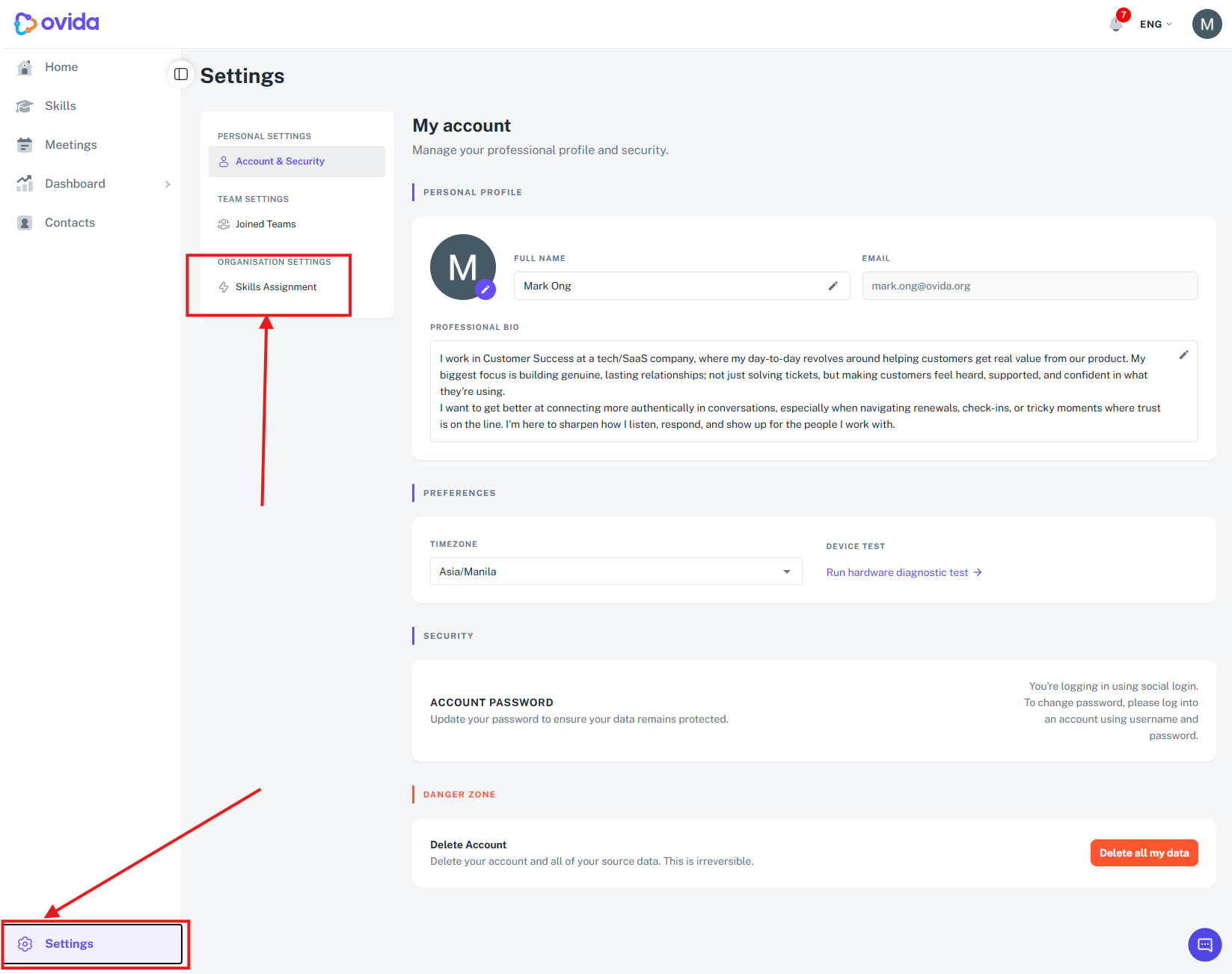
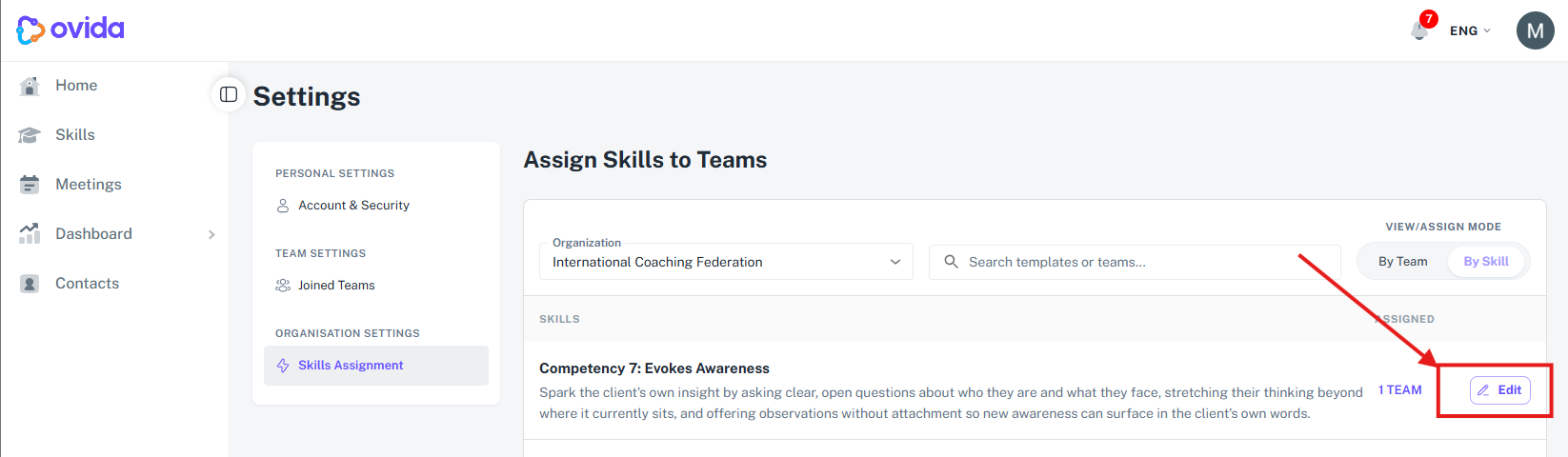
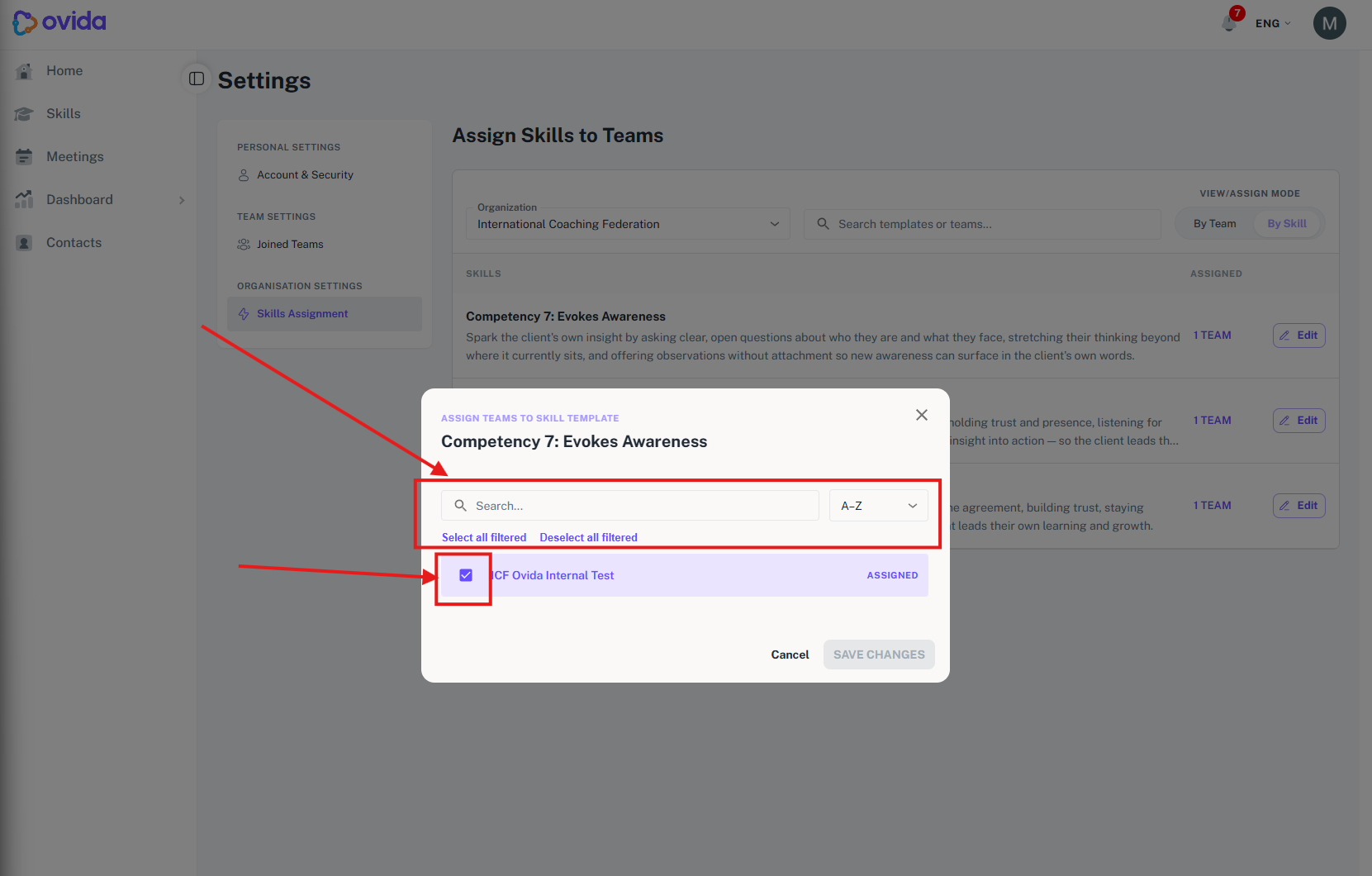
Once a Skill is assigned to a team, all members of that team can see and start it from their My Skills page.
How are skills ordered when I assign them to teams?
When you assign skills to your teams, skills are listed by the date they were added, and any skill not yet assigned to a team is marked so you can spot it easily.
When you are assigning skills to teams, the list is ordered by the date each skill was added, which matches the order in your Available Skills view.
Any skill that has not yet been assigned to a team shows a grey 0 TEAM badge. Skills that are already assigned keep their standard badge. This makes it easy to see at a glance which skills you still need to assign.