How do I join a meeting?
Last updated: May 25, 2026
Hosts and observers must be logged in to join. Guests can join by simply clicking the meeting link, with no signup needed.
A few basics about meetings
The host is the person being analysed. If you want feedback on your communication, you need to be the host.
The join link in the invitation email works for any invited user.
Recording starts automatically when the host and guest both join.
Users can leave and rejoin a meeting any number of times by clicking Back to Lobby.
Once the host ends the meeting, it can't be restarted.
💡 If you want feedback but your guest is currently the host, they'll need to create a separate meeting and invite you as the host.
Hosts and observers: log in to join
Log in to your Ovida account.
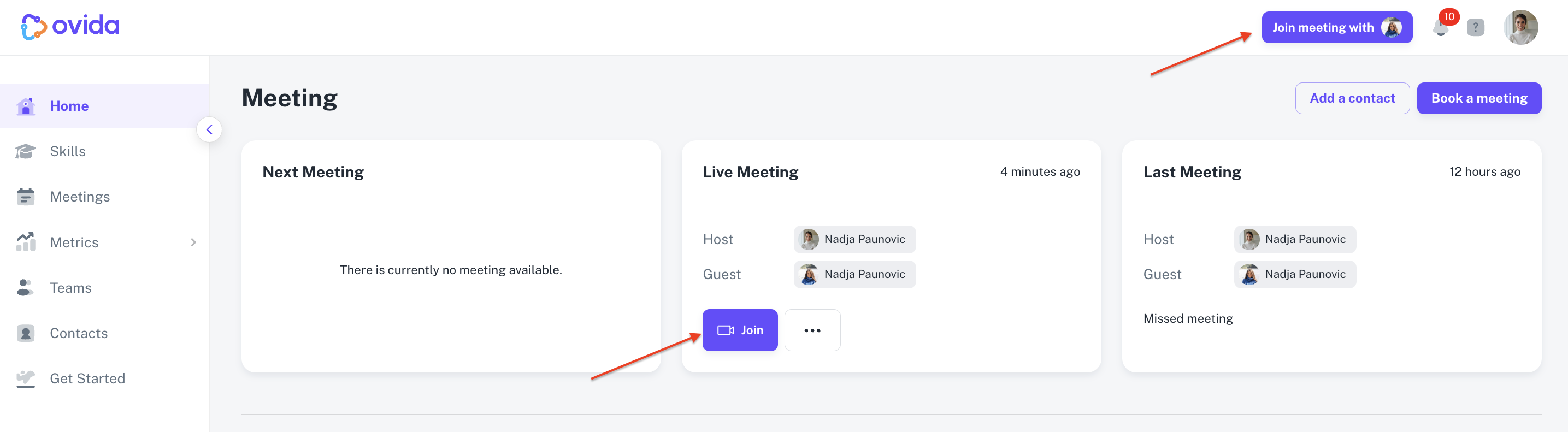
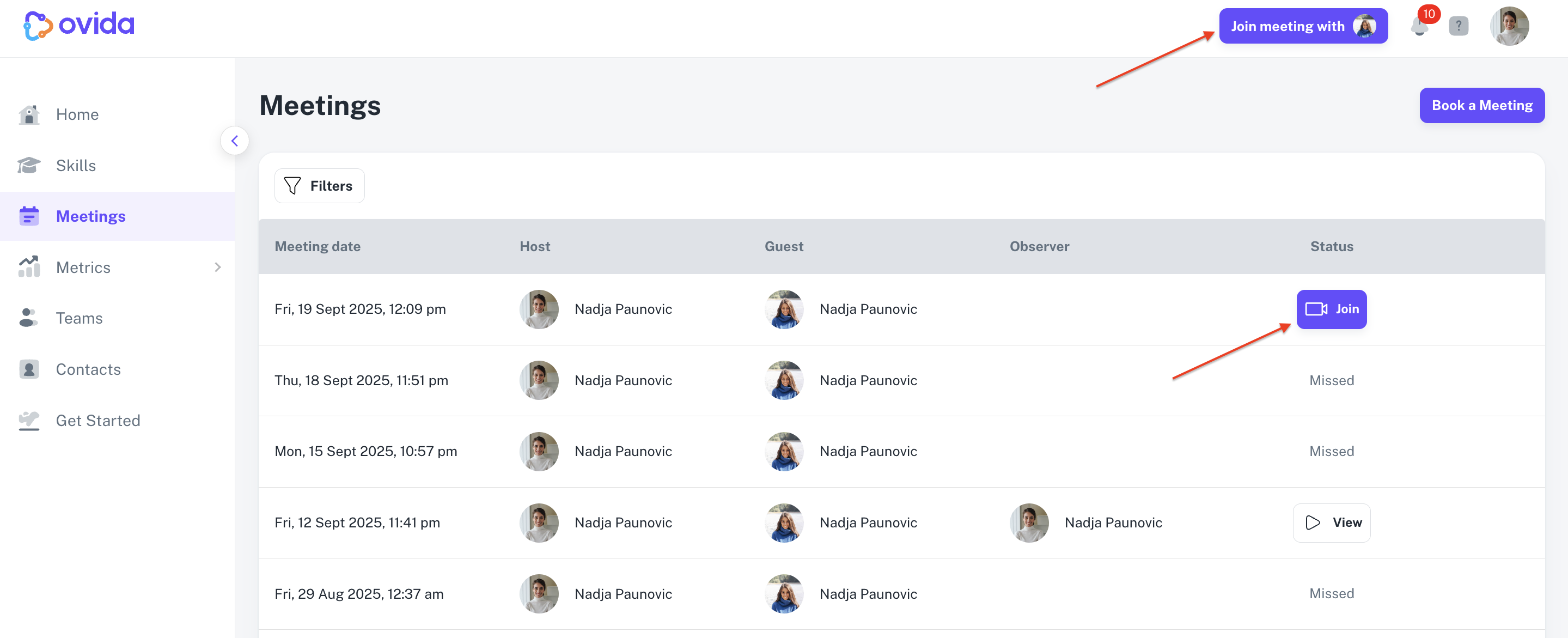
Click Join or Join meeting with on the Home page or Meetings page.
Pick your camera and microphone from the dropdowns. If you haven't tested your audio and video before, do it now to make sure everything works.
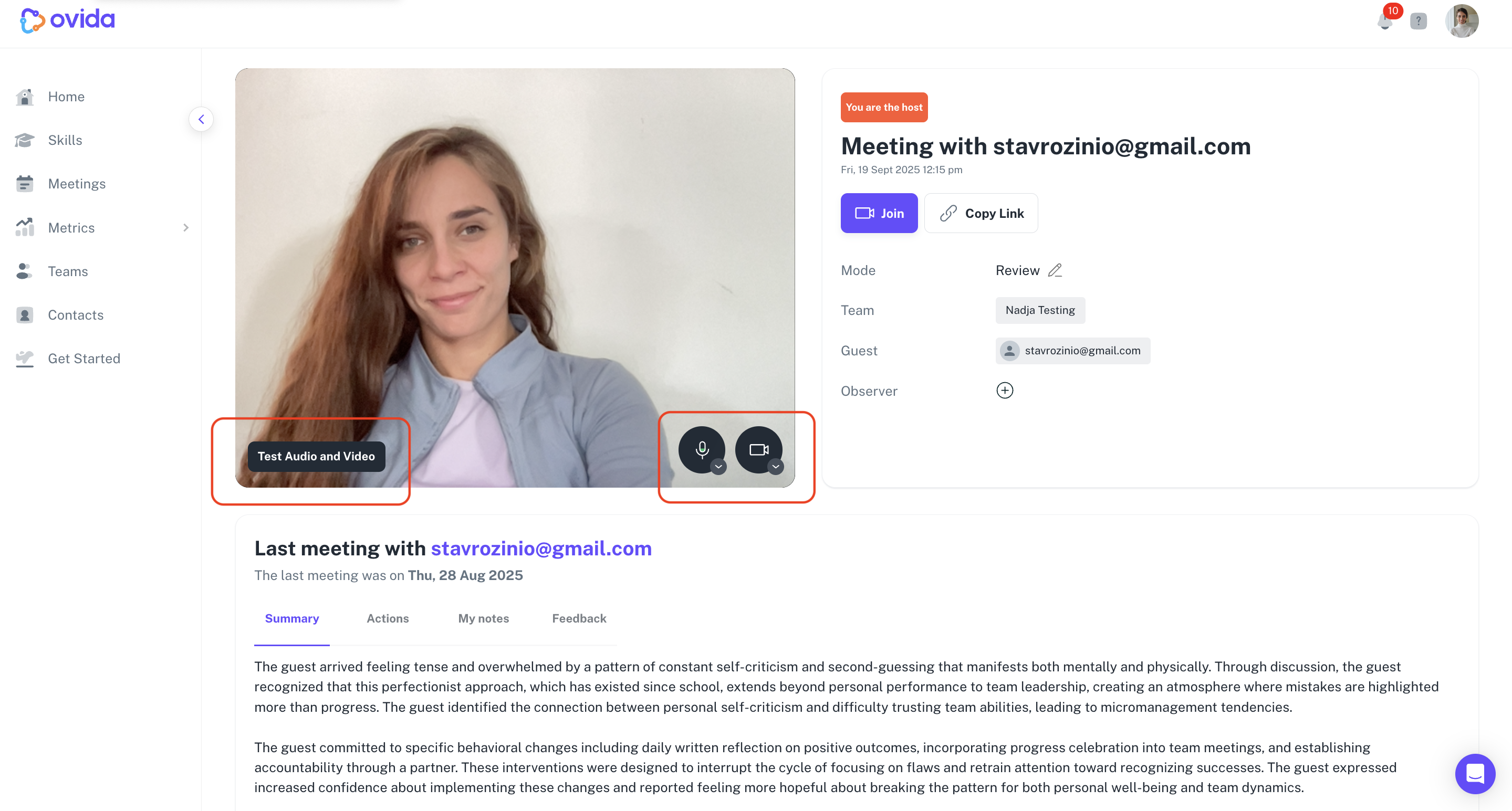
Click Join next to the meeting video to enter the room.
Guests: log in only if your organisation requires it
By default, guests can join a meeting just by clicking the link in their invitation email. No signup or login needed. For details on the guest journey, see "I've been invited to Ovida — what's next?"
ℹ Some organisations require guests to log in before joining. If you see a sign-in prompt as a guest, your host's organisation has that policy enabled.