How do I create a meeting for another team member?
Last updated: September 1, 2026
Team Owners, Admins, and Assistants can book meetings on behalf of other team members.
The ability to do this is controlled by a team-level setting. If you don't see the option to choose a host other than yourself, it's been turned off for your team.
Here's a video guide for this article.
Steps
Go to the Home page or Meetings page.
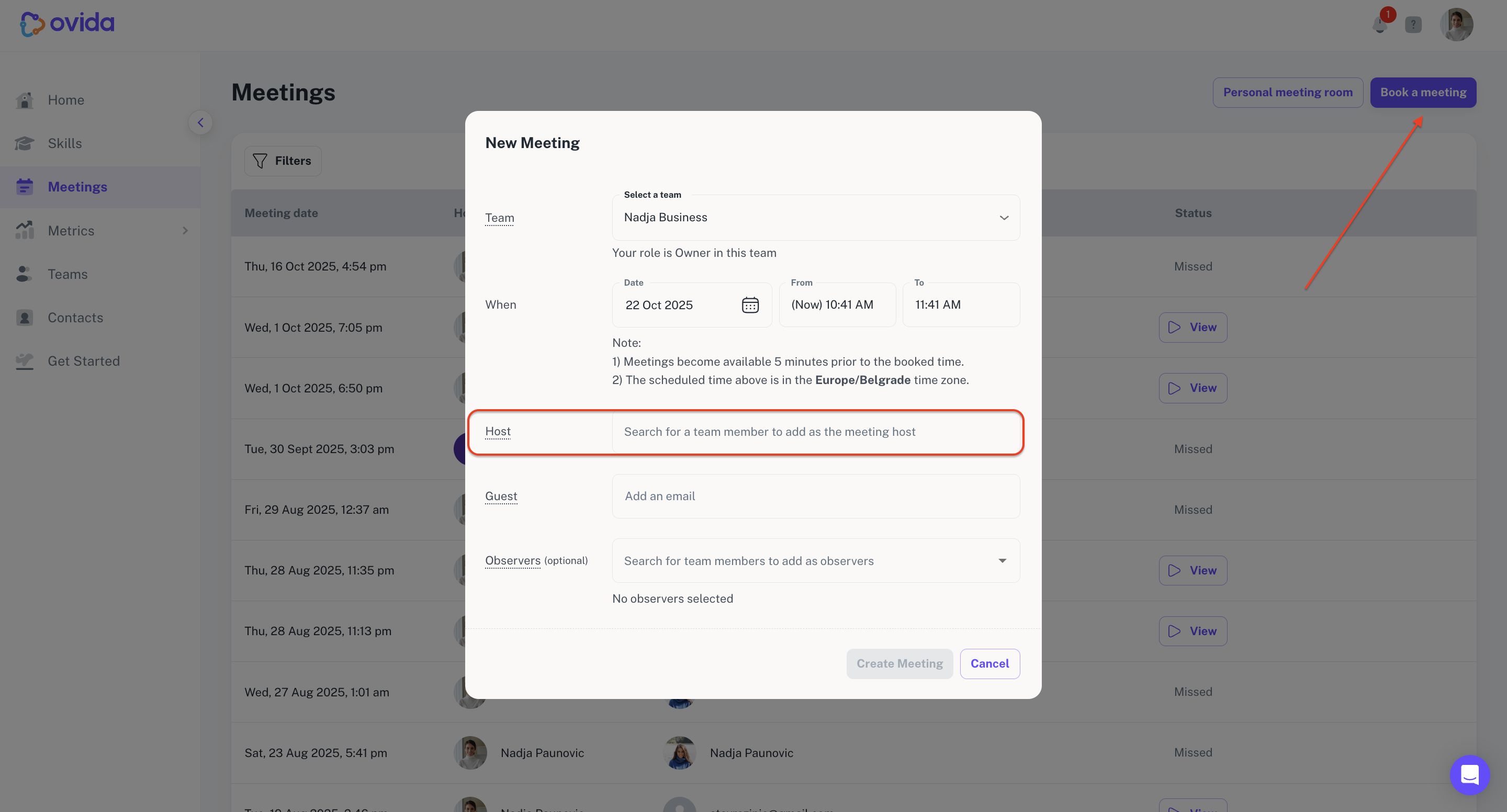
Click Book a meeting.
Assign the meeting to a team.
Pick the date and time.
From the host list, choose the team member you're booking for.
Add the guest.
Add observers if you need to (only you can add observers at this point — the host can edit them later).
Confirm.
Once the meeting is created, the host, guest, and observers all receive an email confirmation.