Why can't I start a new live recording while one is in progress?
Last updated: June 5, 2026
If you already have a Live Recording session running and try to start another, Ovida will warn you and give you a choice. You can rejoin the active session or close it and start fresh.
Running two Live Recording sessions at the same time can cause problems: your microphone may be locked to one tab, recordings can become corrupted, or you might end up with duplicate session data. To prevent this, Ovida now detects when a Live Recording is already running and prompts you to decide what to do.
What you'll see
When you try to start a new Live Recording while another is active (often in a different browser tab), a dialog appears titled "Recording Already Active" with two options:
Close & Start New
Cancel
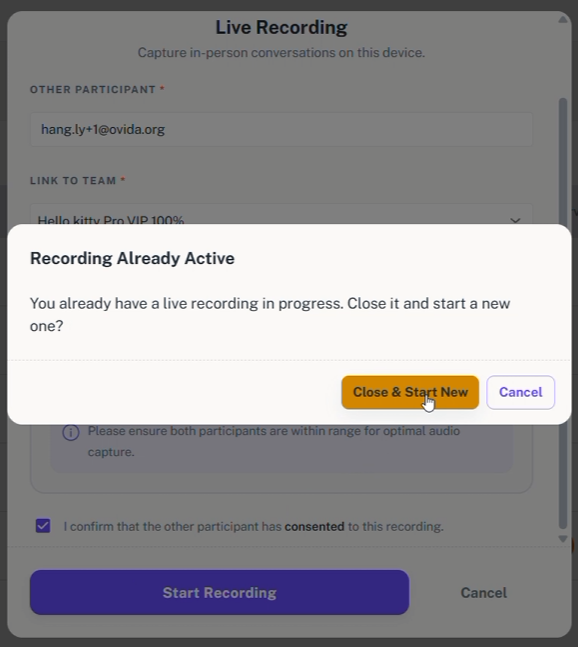
Option 1: Close & Start New
Choose this if you want to start a new recording. When you choose this option, it will automatically start a new live recording. The existing session is closed and a new Live Recording starts fresh.
Please note that this will automatically delete the existing one so if you want to save that, do not choose this option
Use this when:
You forgot to end an earlier session
The previous session was a test or accidental start
You want to begin a completely new recording
Option 2: Cancel
Choose this if the active session is still needed. You can go back to your Live Recording and save it first.