How does real-time observer feedback work?
Last updated: May 25, 2026
Observers can join live meetings, follow along silently, and give feedback through the chat. They can also speak up, but doing so pauses recording.
Inviting a mentor or supervisor to observe a meeting in real time gives you live feedback during the conversation, not just afterwards.
Joining as an observer
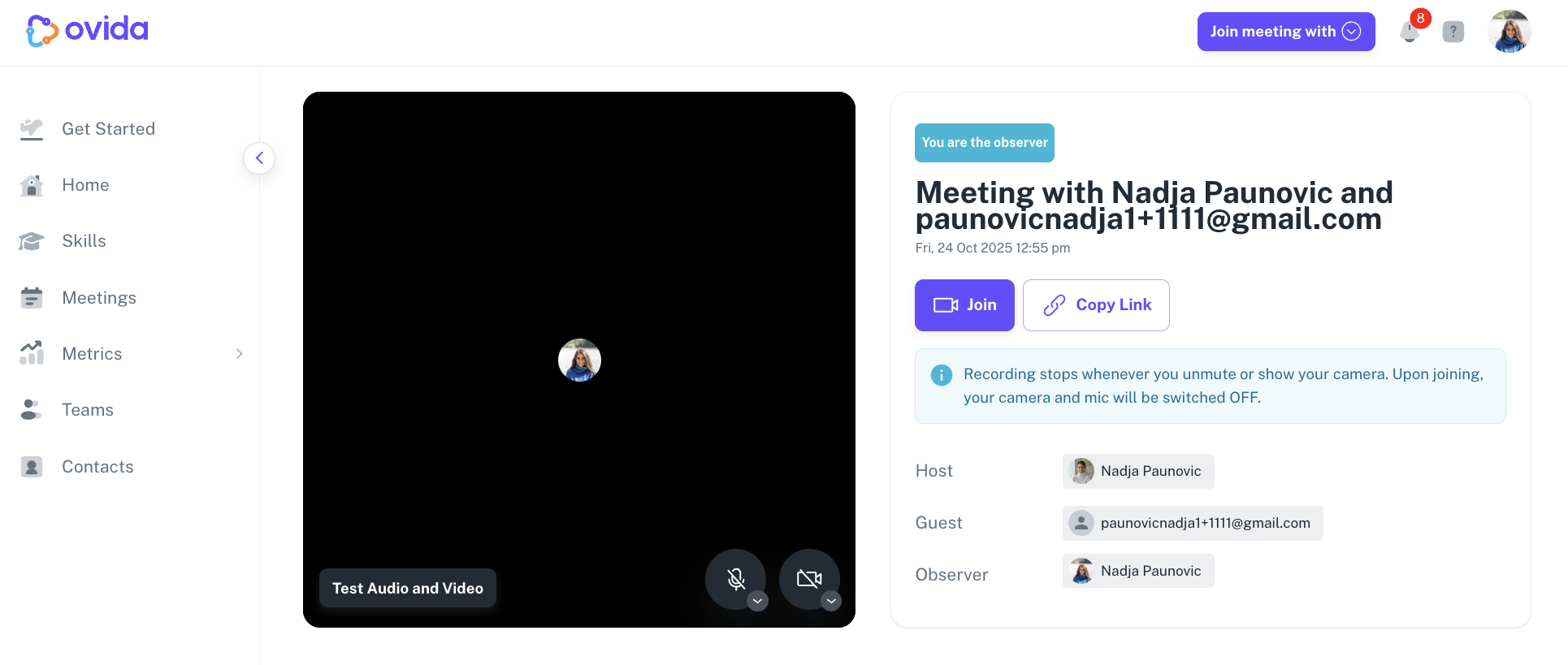
When you book a meeting and add an observer, they receive an email with a link to join.
Observers must log in to join. Hosts and observers both need accounts; only guests can join without signing in.
Observers can only be members of the team the meeting is allocated to.
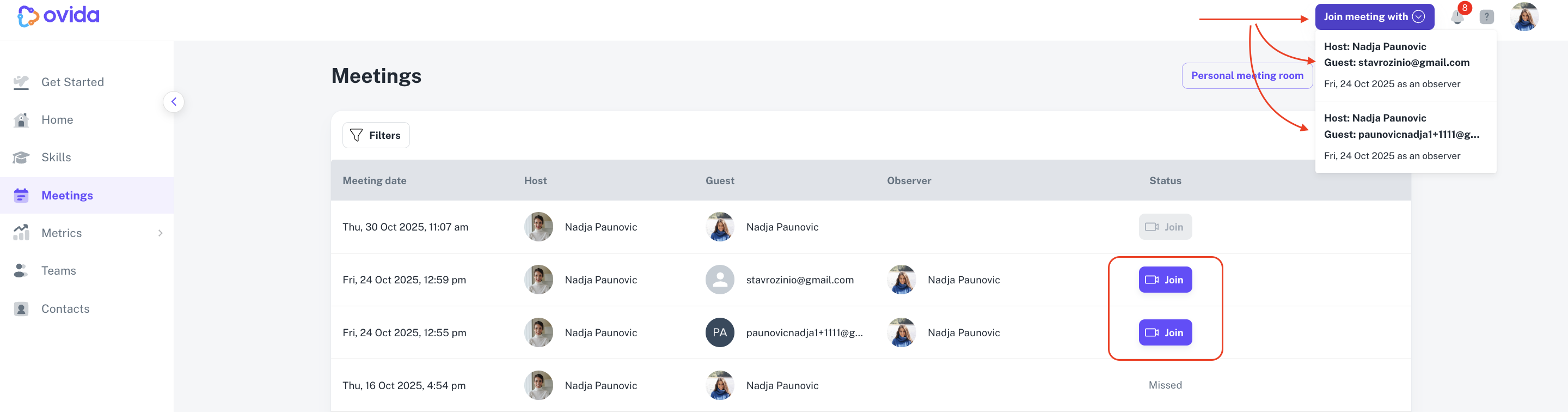
An observer can be added to multiple meetings happening at the same time. They click Join next to the specific meeting, or use Join meeting with to pick from a dropdown.
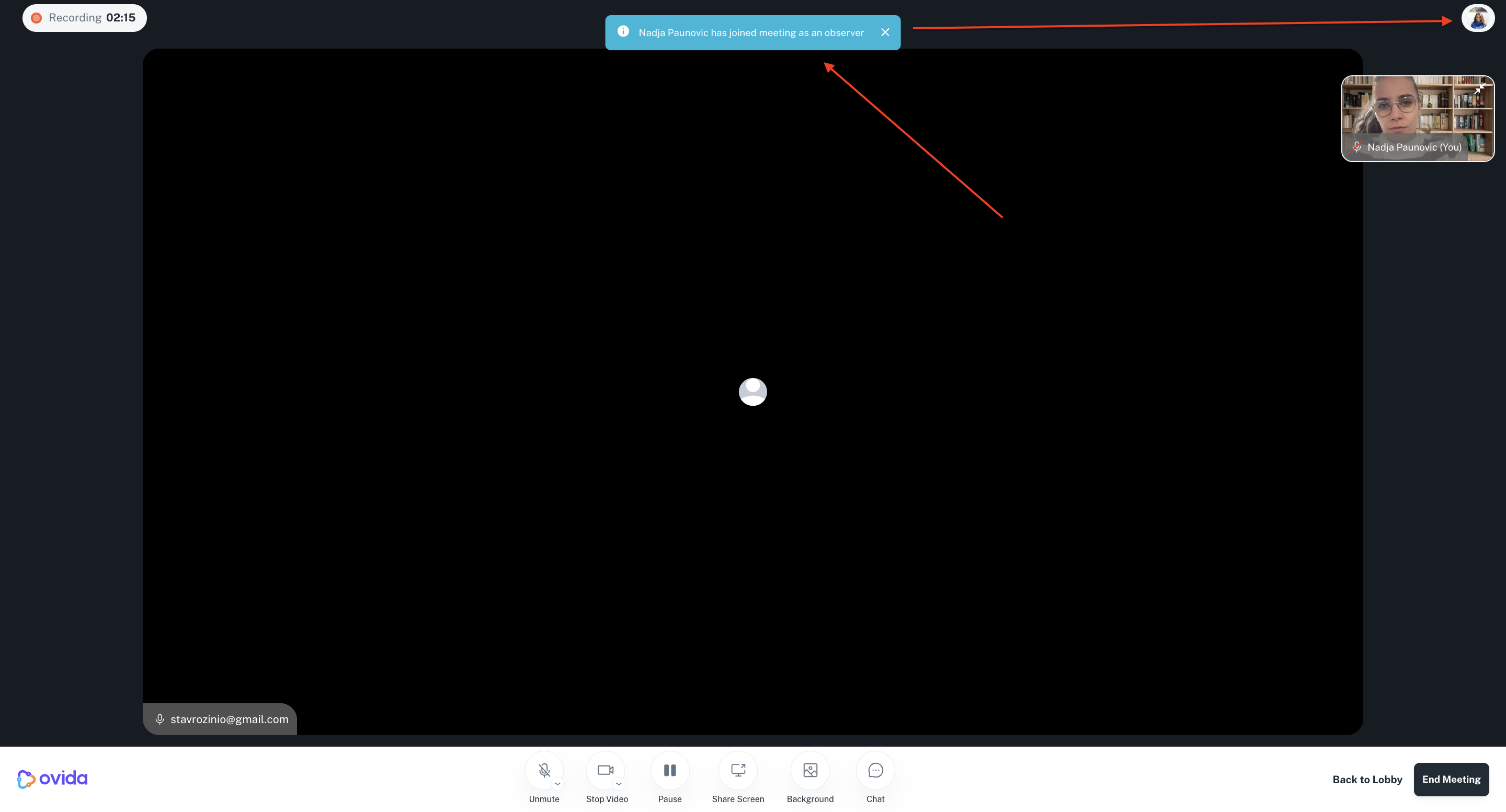
What participants see when an observer joins
Both you and your guest see a notification when the observer joins or leaves.
What the observer can do
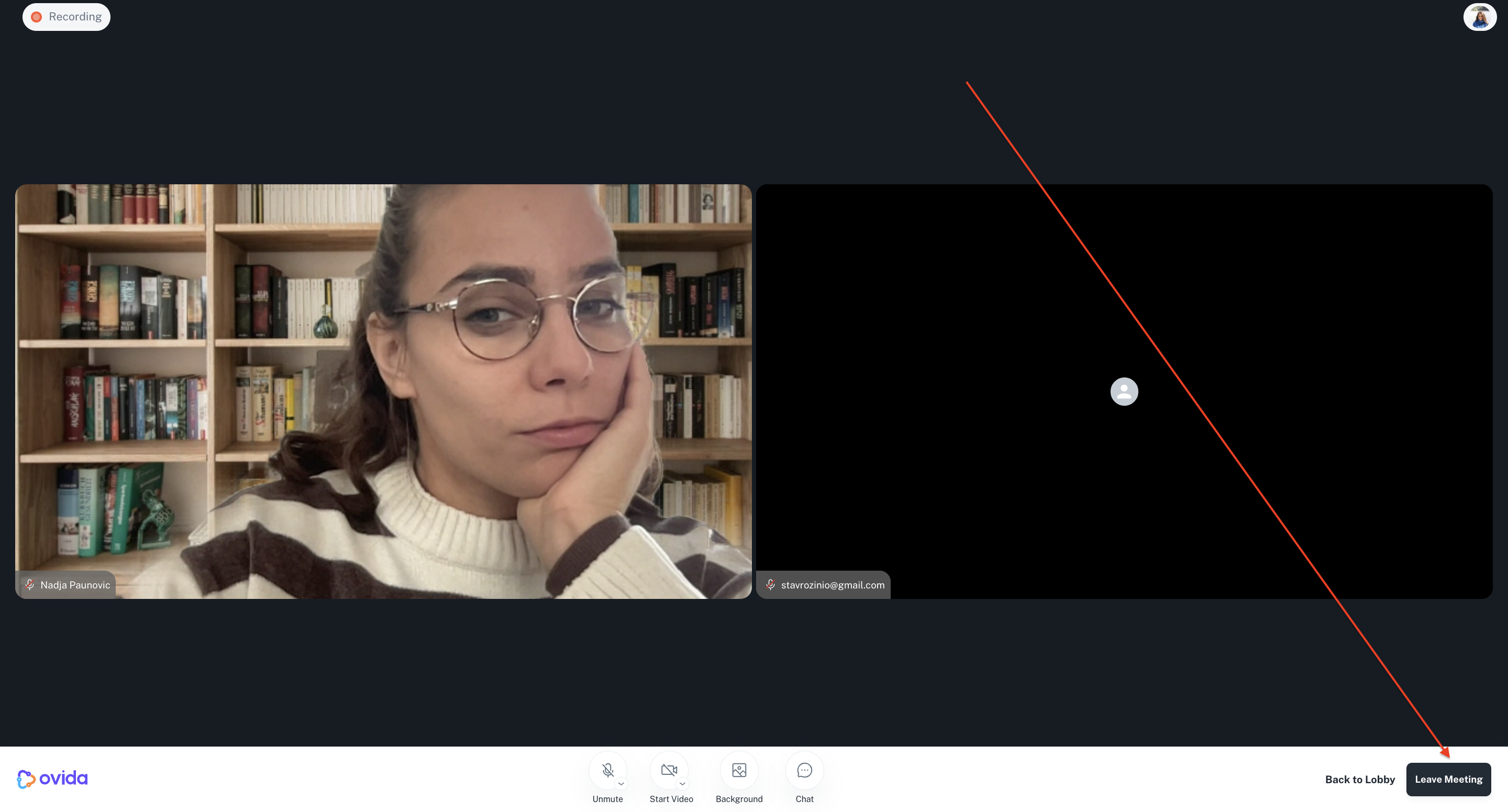
View both host and guest simultaneously: observer's view shows both, side by side, for easier note-taking.
Send chat messages: all participants (host, guest, and observer) can use the chat.
Unmute and turn on camera to speak. Doing this pauses recording automatically to keep the session analysis unaffected.
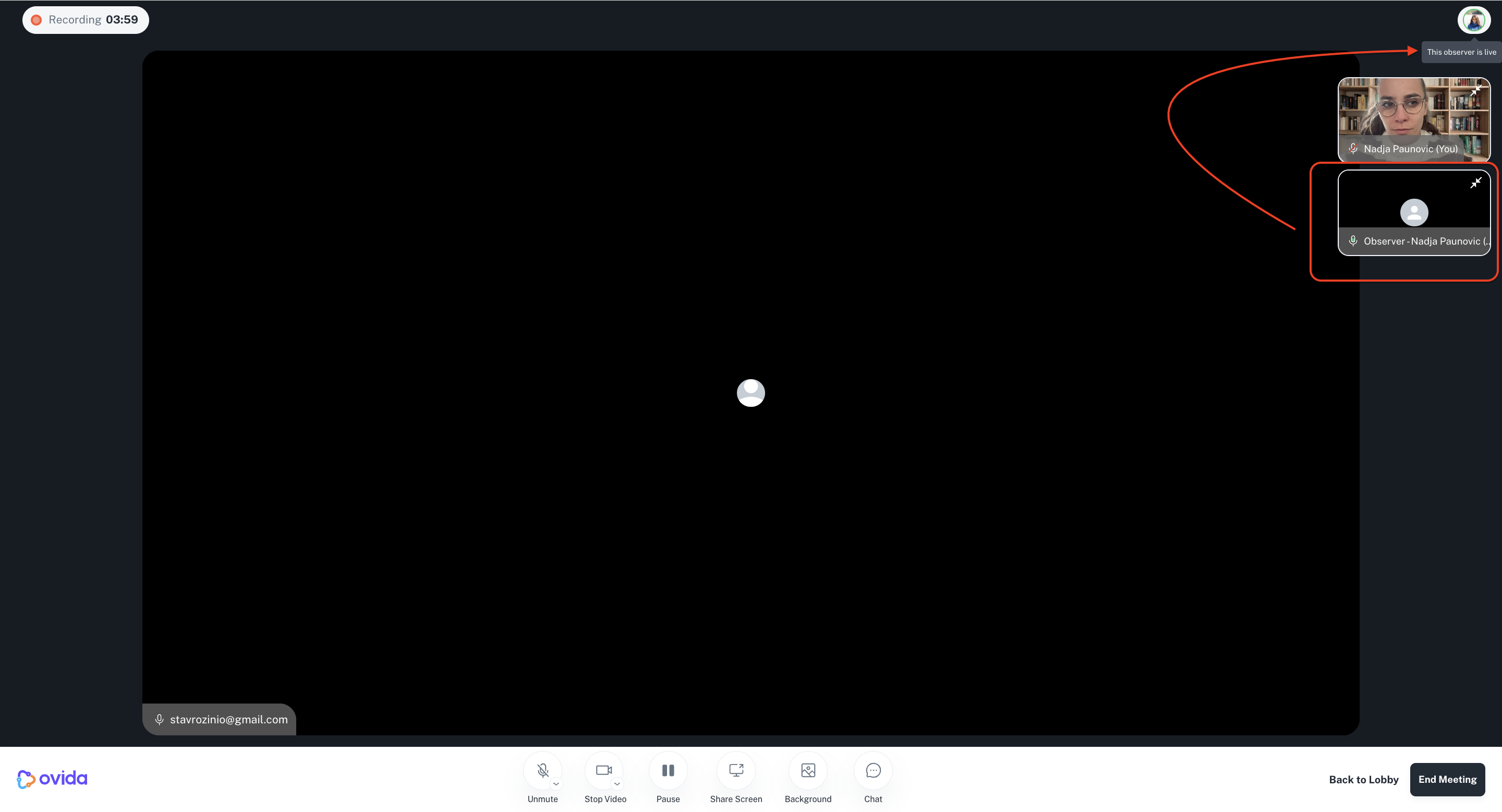
Mute and turn off camera again to return to silent observation.
Leave the meeting by clicking Leave Meeting. They can rejoin until the host ends the meeting.
A few things to know
Chat history from before the observer joined is available for context.
Recording stops automatically when an observer goes live. The host can only resume recording once all observers are muted again.
Multiple observers can join the same meeting.
An observer leaving doesn't end the meeting. Only the host can end it.