How do I give feedback about my experience?
Last updated: September 1, 2026
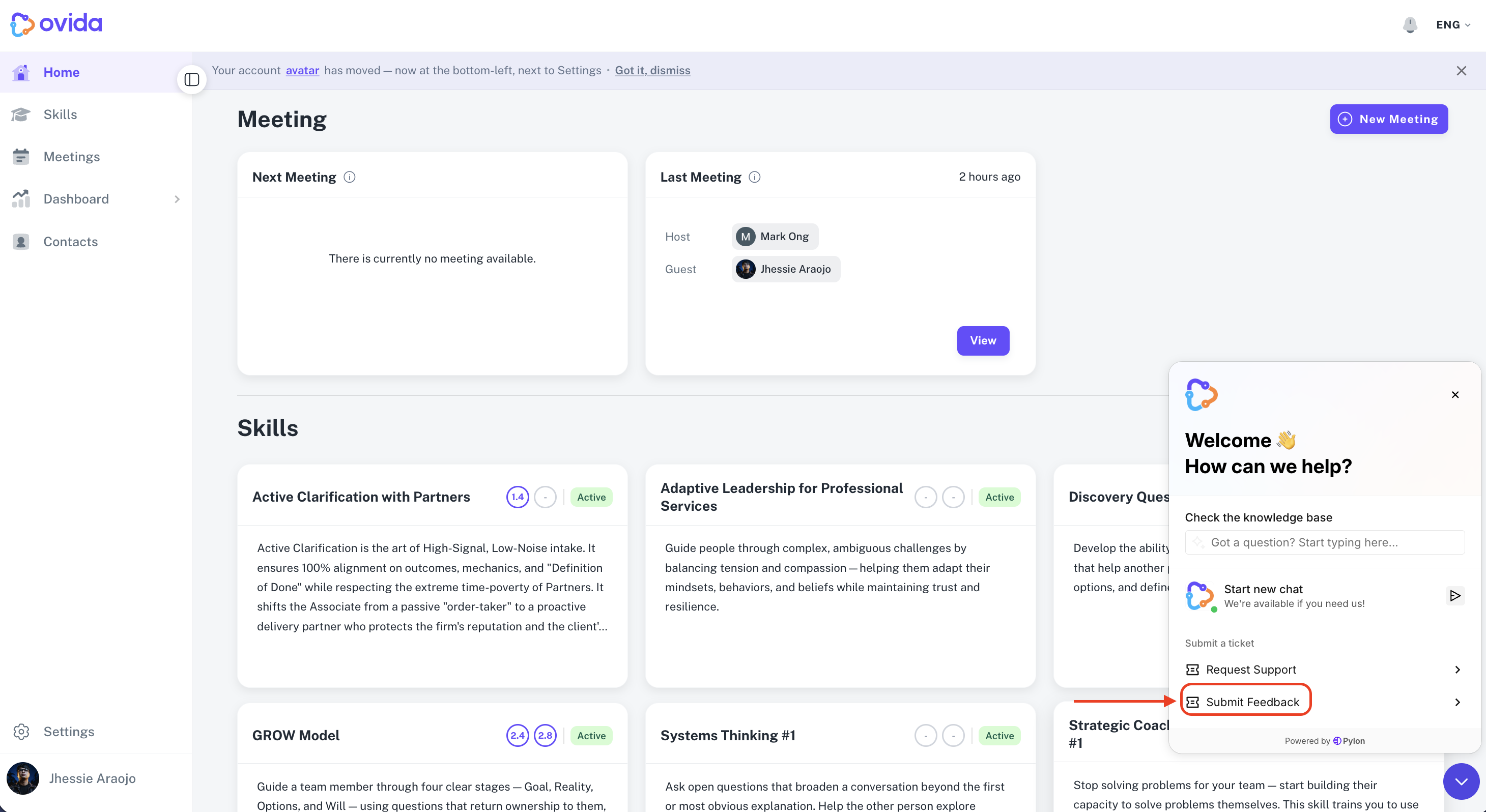
Open the chat widget and select the "Submit Feedback" icon to describe your experience with Ovida.
Here's a video guide for this article.
What to include
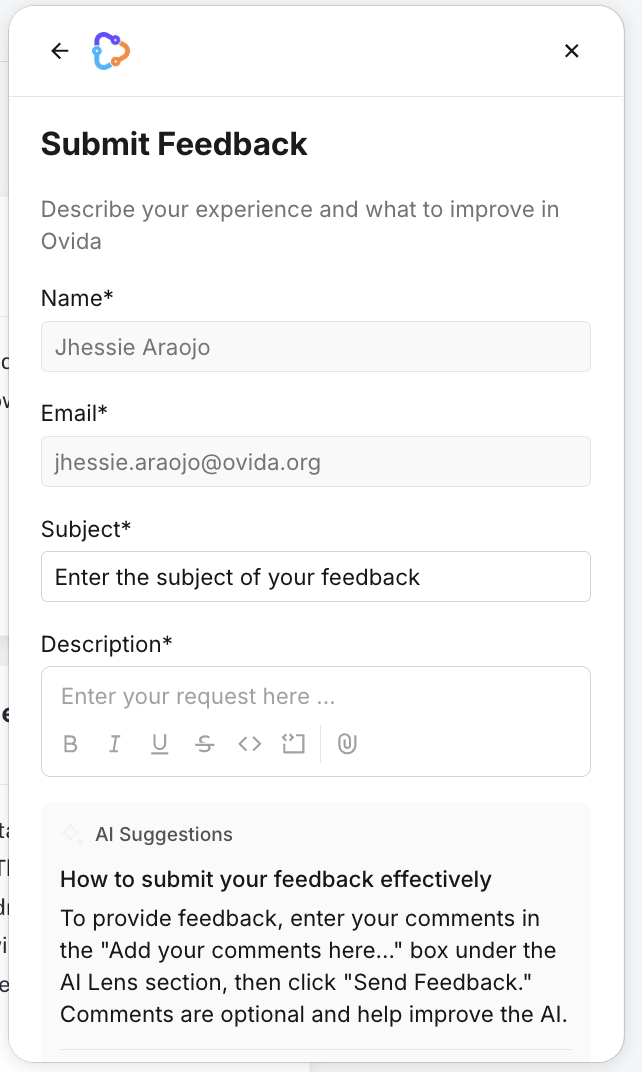
The form has a single description field. Use it to tell us what's working well, what's confusing, or what you'd like to see improved, in as much or as little detail as you like.
Who can use it
Any Ovida user with an account can Submit Feedback through the chat widget, regardless of plan or role.
After you submit
You will receive a confirmation message to your email and it will go straight to our internal channel for review purposes to improve user's experience.