How do I change the language of the Ovida app?
Last updated: October 14, 2026
Ovida supports multiple languages. You can switch the app language from the language menu at the top right, and the change applies immediately. You also choose the language for each skill or roleplay when you launch it.
For all Ovida users.
Languages supported
Ovida is currently available in:
English
Spanish (Español)
Greek (Ελληνικά)
French (Français)
Vietnamese (Tiếng Việt)
Japanese (日本語)
Your organisation chooses which of these languages are available to you. If a language you need is missing, email support@ovida.org.
How to change your language
Select the language menu at the top right of the screen. It shows a short code for your current language, for example ENG.
Select the language you want from the list.
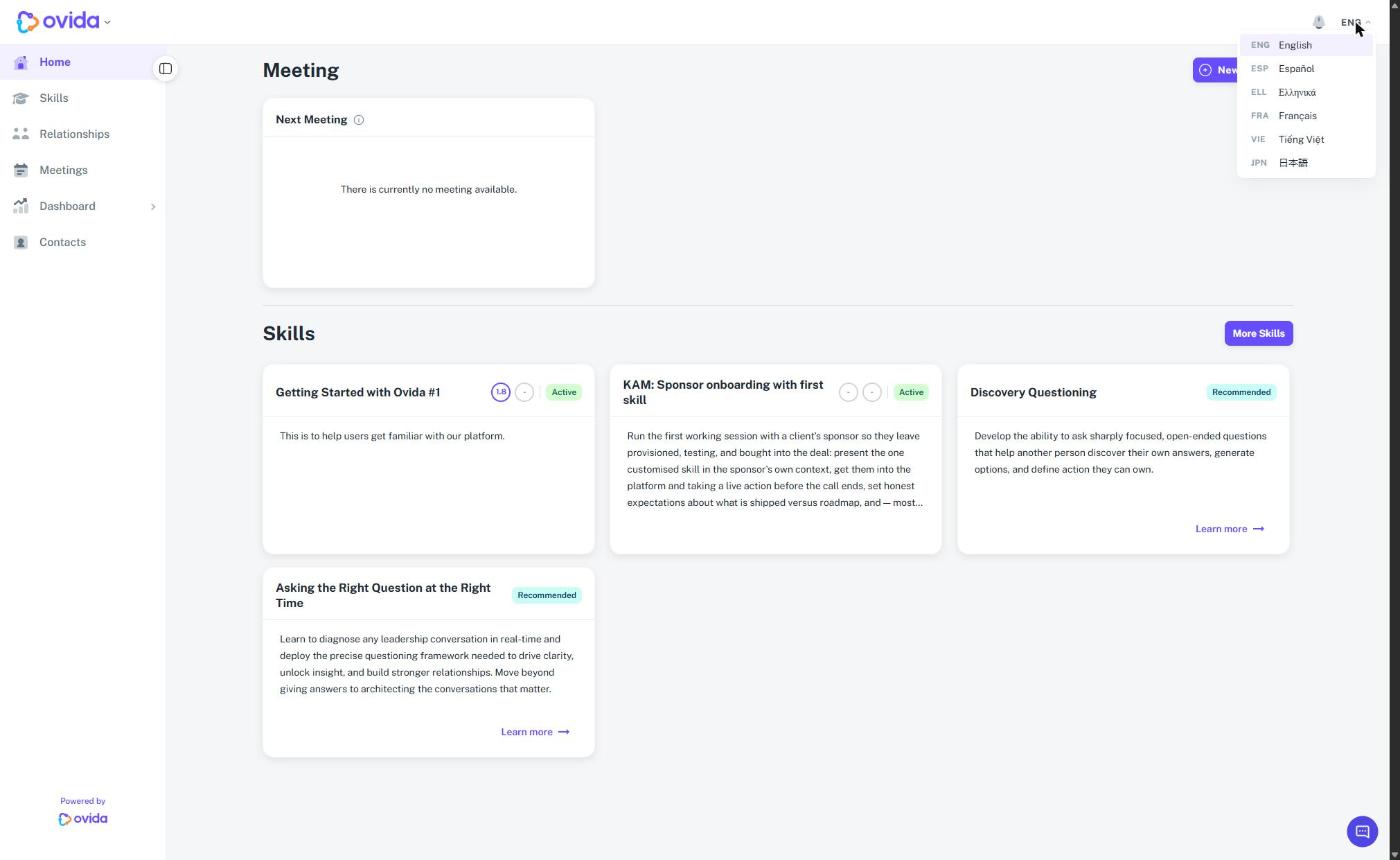
The change applies straight away, no need to refresh or restart the app. The interface, menus, and prompts will appear in your chosen language from that point on.
If you cannot see the language menu, your organisation only has one language available, so Ovida uses that language for everyone.
What does and doesn't change
Interface language changes immediately: buttons, menus, settings, navigation.
AI roleplays and feedback use the language you choose when you launch a skill. The language is locked for that session. See "How do I choose the language for a skill or roleplay?".
Existing transcripts and recordings stay in their original language. Changing your app language doesn't translate past content.