How do I get started with Ovida?
Last updated: September 17, 2026
The best way to start with Ovida is a low-stakes AI roleplay. You'll see how Ovida coaches in real time without needing a real meeting or another person.
Why start with a roleplay
A roleplay is a practice conversation with our AI agent, Ovid. It's the fastest way to get a feel for how Ovida works because:
You can do it right now, on your own
You'll see live feedback as you speak
There's no pressure, nothing recorded for anyone else, no one waiting on the other end
Try your first roleplay
From the home page, go to Skills.
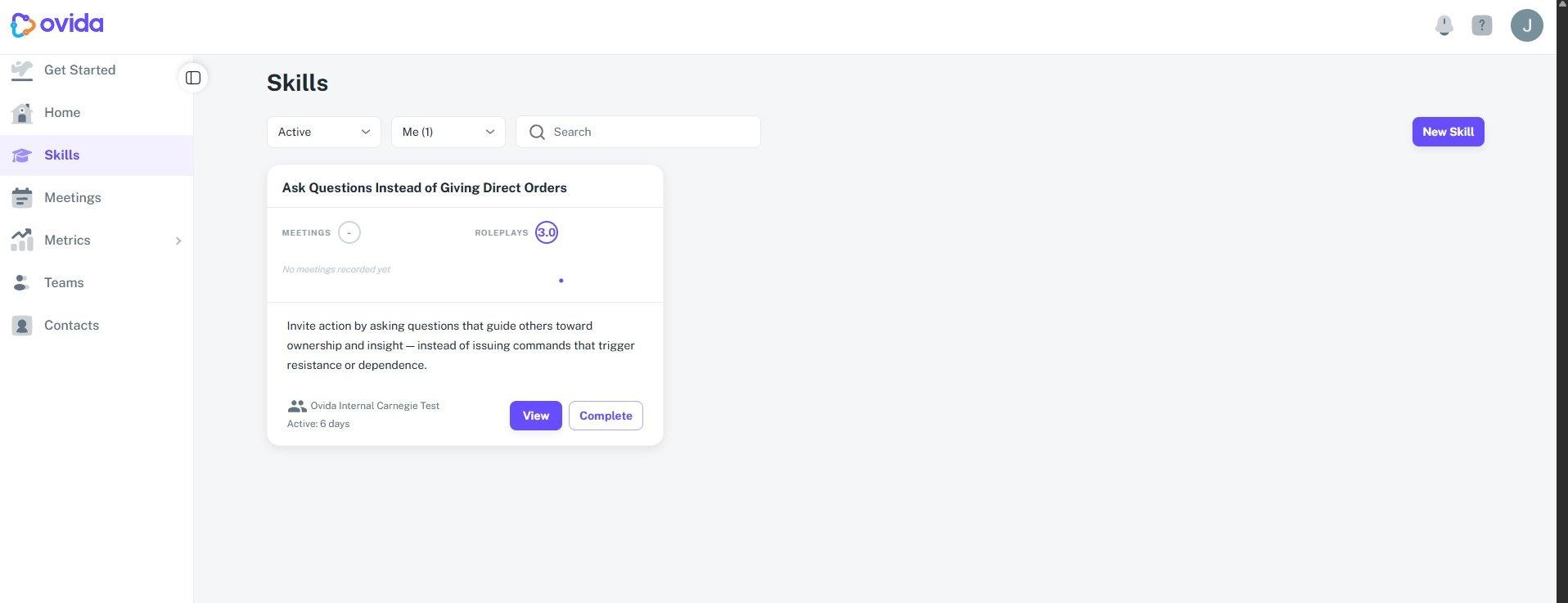
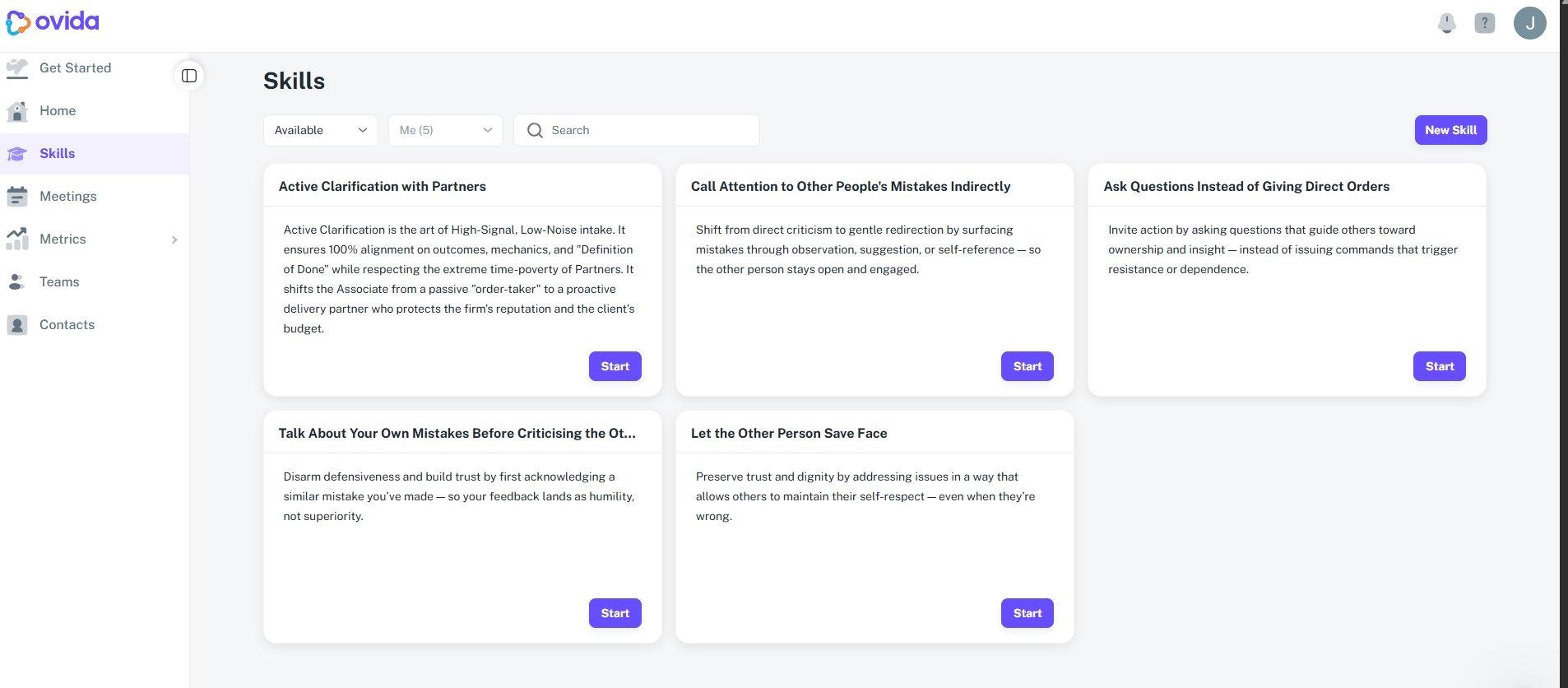
Pick a skill from the Skills Library that fits the kind of conversations you have. If you're not sure, start with one that sounds closest to your day-to-day work.
Click Start roleplay and have a short practice conversation with Ovid.
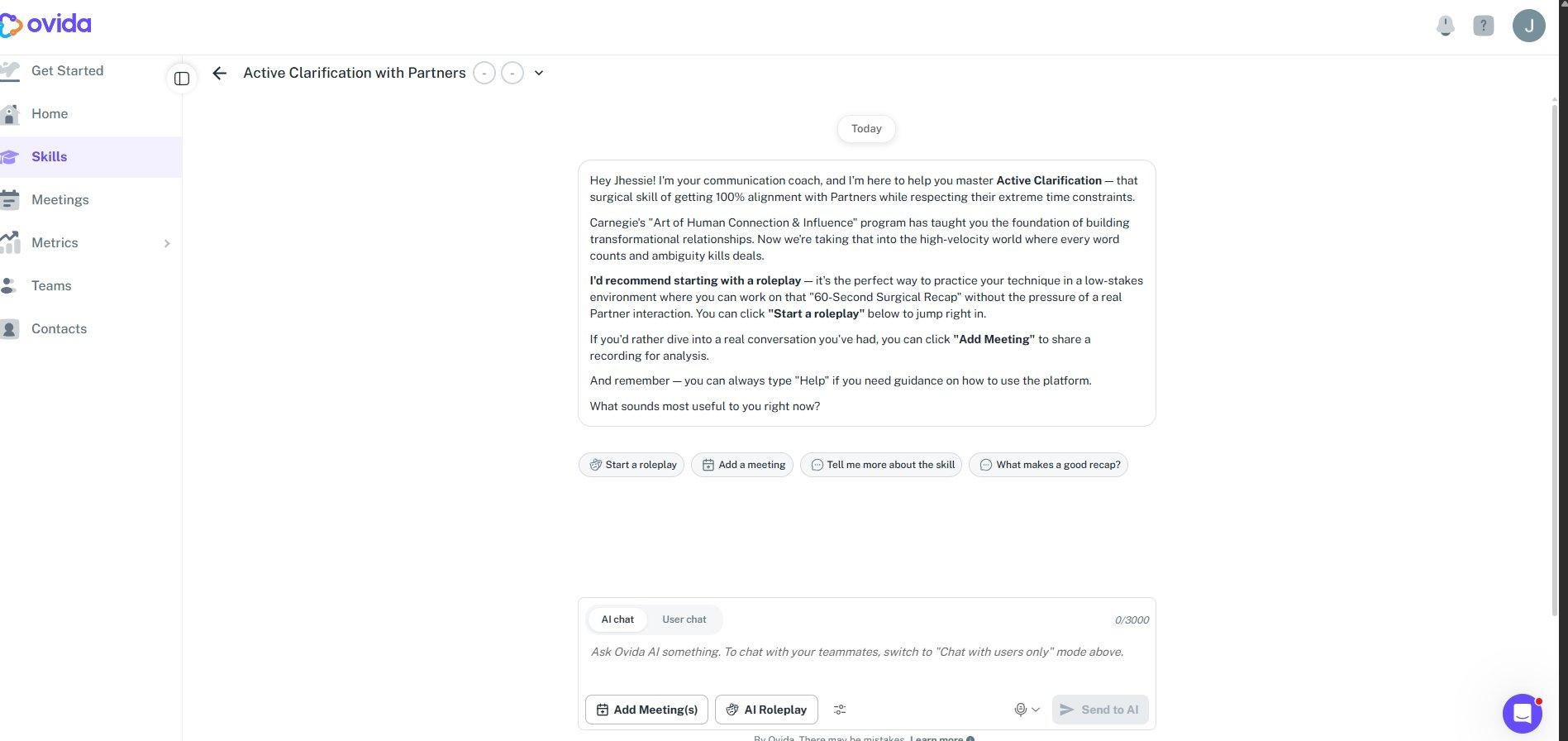
Review the feedback Ovid gives you. This is the same kind of insight you'll see in real meetings later on.
You can also chat with Ovida, our AI Agent. In the Discussion panel, make sure "AI chat" is selected at the bottom of the chat input to send your message to the AI. Switch to "User chat" if you want to message your teammates instead.
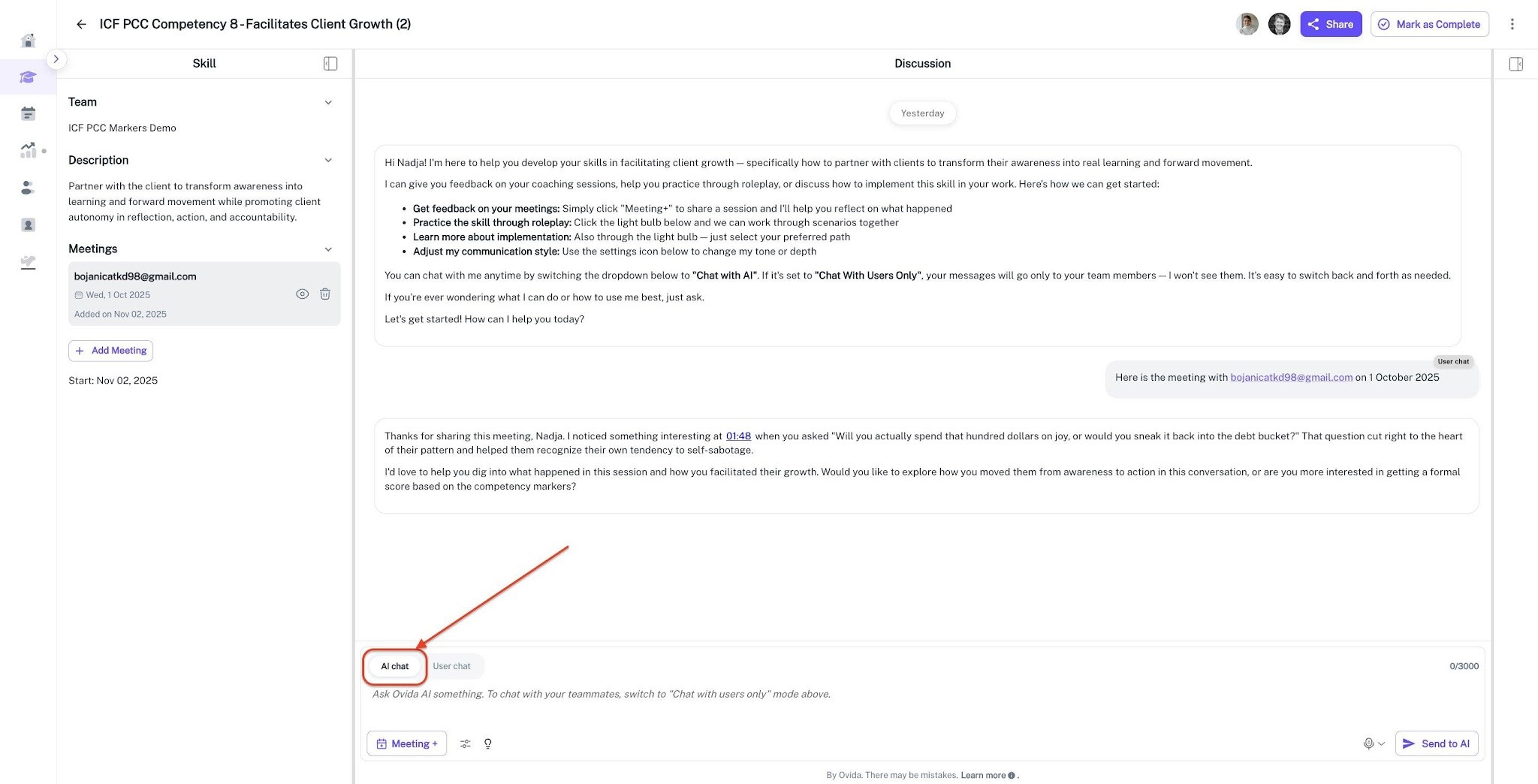
💡 Tip: The AI chat and User chat modes are easy to switch between. When set to "AI chat", only Ovida sees your messages. When set to "User chat", your messages go to your team members only.
What's next
Once you've tried a roleplay, you'll have a feel for how Ovida thinks. From there, you can run a real meeting and use Ovida's review tools to dig into what happened.