I've been invited to Ovida — what's next?
Last updated: September 1, 2026
A walkthrough of joining your first Ovida meeting as a guest, with or without signing up.
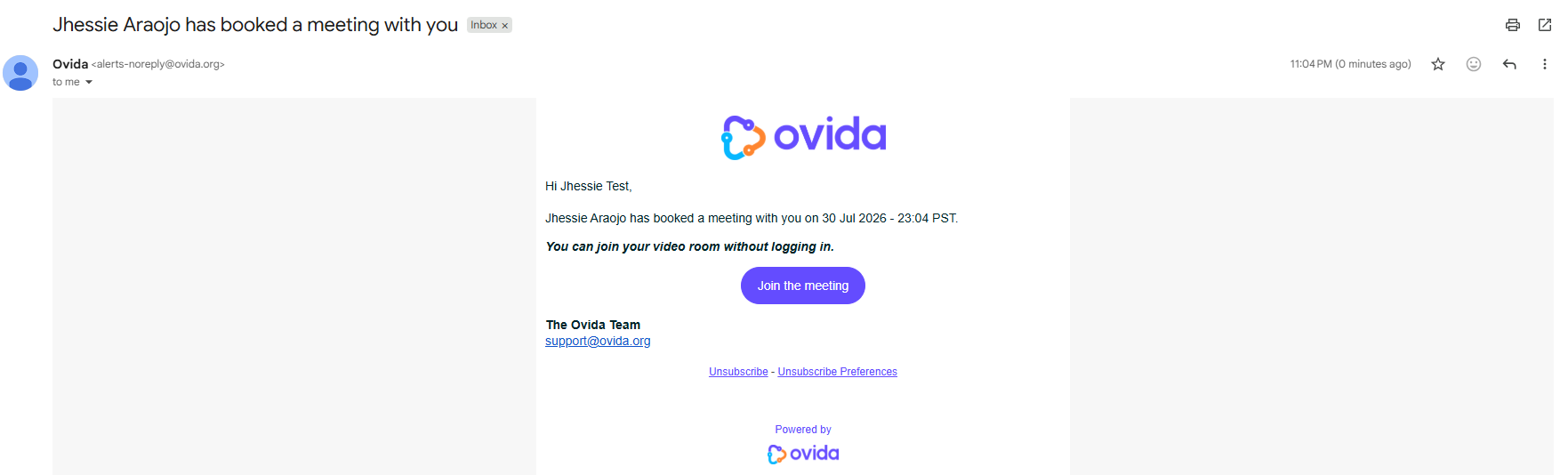
If you're new to Ovida and a host has invited you to a meeting, you'll receive an invitation email like this:
Here's a video guide for this article.
You have two ways to join.
Option 1: Join without signing up
The fastest way in. No account needed.
Click "Join The Meeting" in the invitation email.
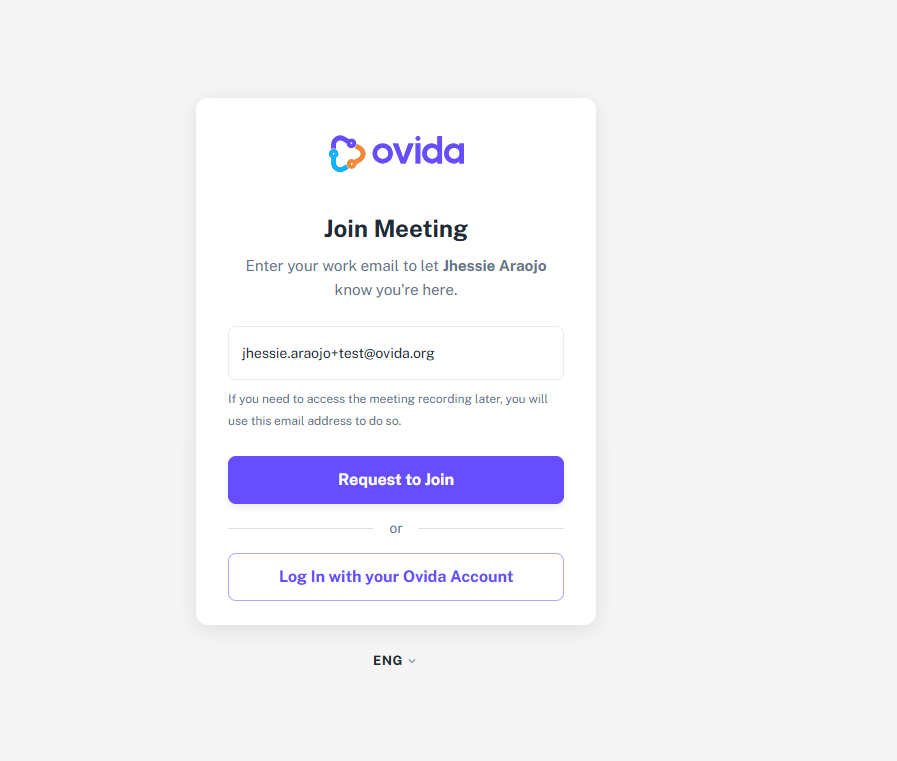
Type your email and click Request to join
Click the agree for Privacy Policy and Terms of Services then Accept to Join
If your microphone and camera is not setup with Ovida, click allow to grant permission on using the device (microphone & camera)
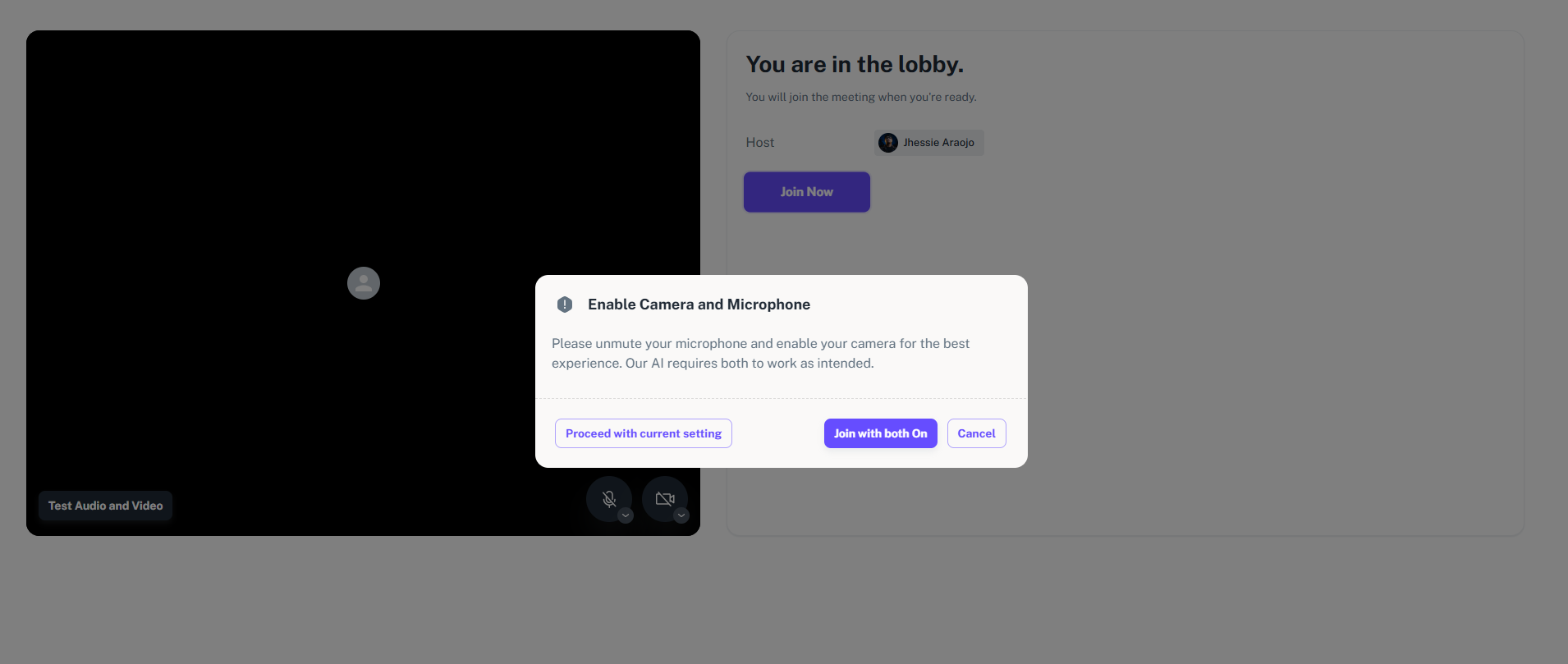
Make sure to turn on your camera and microphone when joining. If you forgot to turn it on, Ovida will prompt you to Join With Both On.
You can still register later if you want access to and control over your meeting data.
Option 2: Login with your Ovida account
If you have an account in Ovida, you can login to your account in Ovida when joining the meeting from your email:
Click the "Join the Meeting" button from the email you received
Tap the "Login with your Ovida Account"
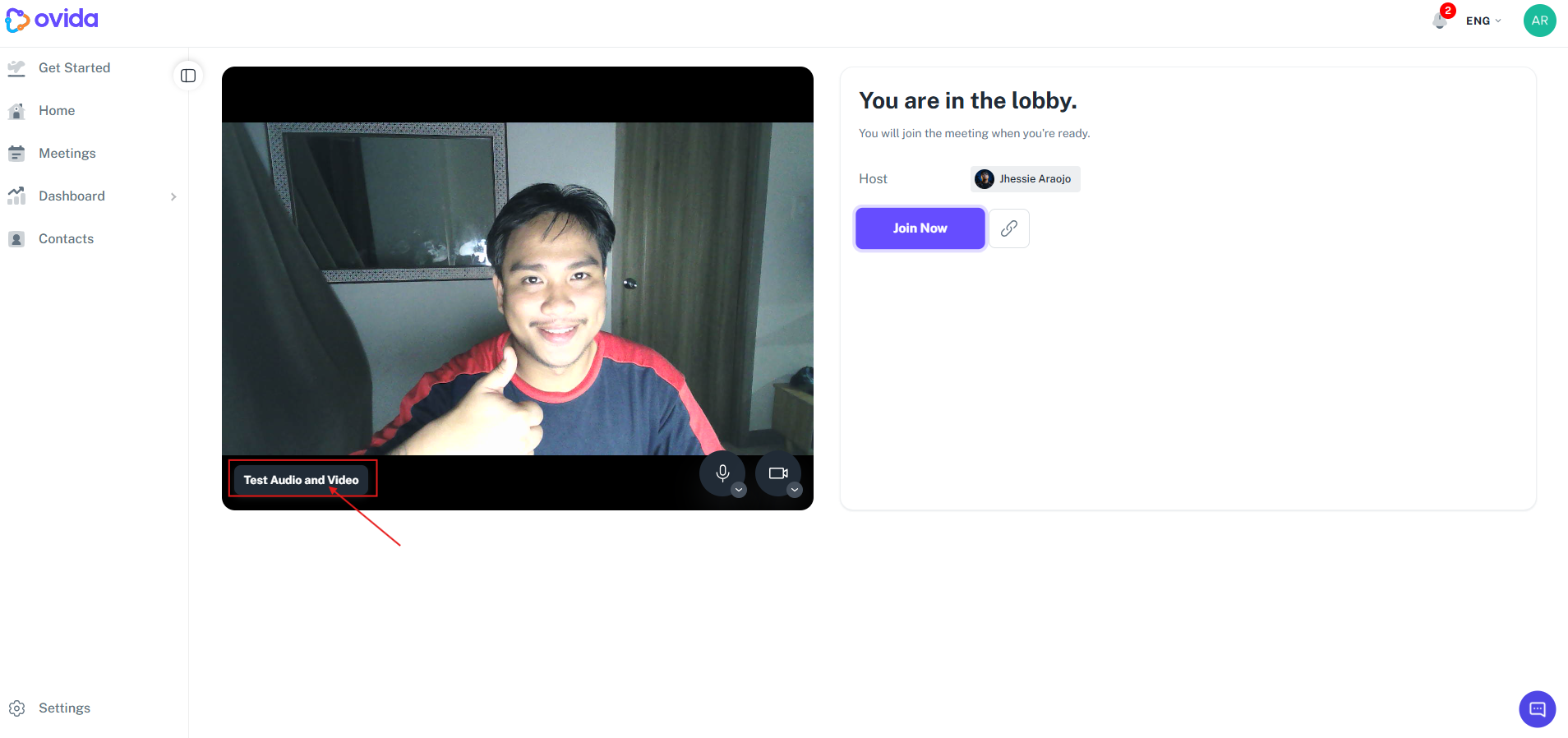
You will be routed to the meeting lobby to test the Microphone and Camera
Click join now and make sure to join with both your microphone and camera .
Test your video setup
Whichever way you join, we recommend running the Test audio and video step in the meeting lobby first. Ovida uses your browser for video, and a quick check helps avoid problems mid-meeting.