What's on the Meetings page?
Last updated: June 26, 2026
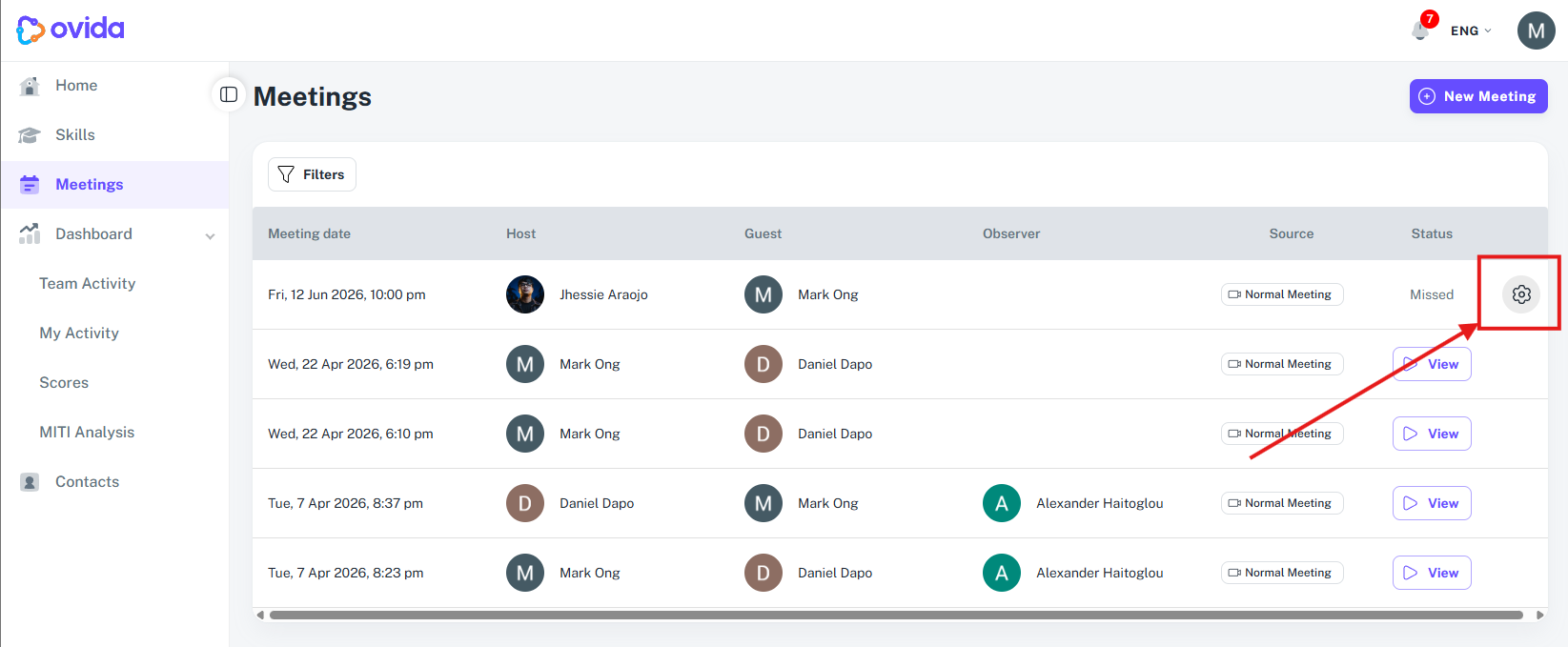
The Meetings page shows all the meetings you've created, scheduled, or attended. Open it from the left-hand navigation menu.
The Meetings page is your overview of every meeting — past, in progress, and scheduled. Use the filter in the upper-left corner to find a specific one.
New Meeting (button)
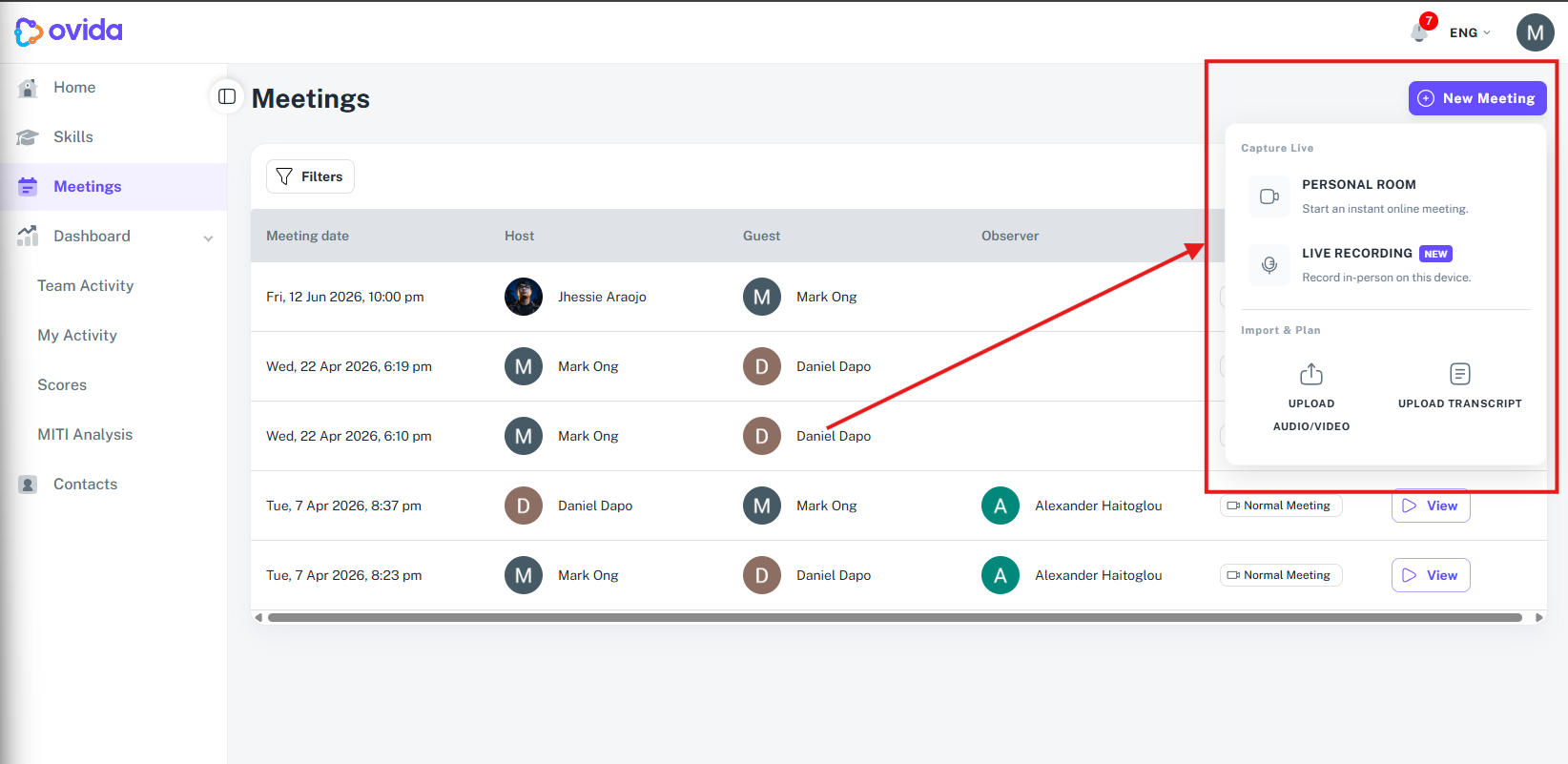
By clicking on this button you can:
Start a meeting recording within Ovida
Record an in-person meeting in Ovida (using your device's microphone)
Upload audio/video of the meeting that happened in another platform (example: Google Meet, Zoom, etc.)
Upload transcript of your conversation
Filtering meetings
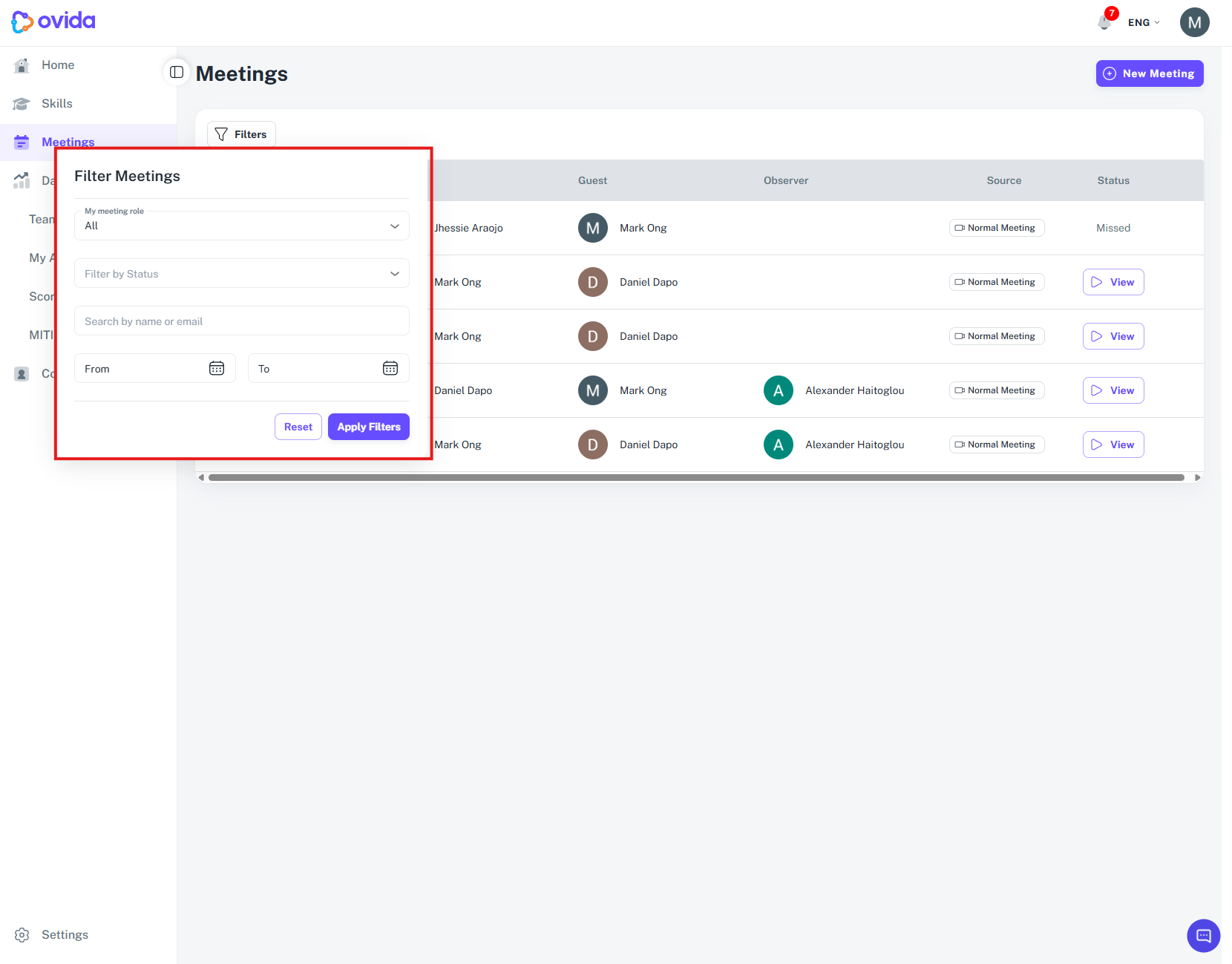
You can filter or search by:
Role — show meetings where you were host, guest, or observer
Status — show meetings in a specific state (see below)
Name or email — search for a specific person
Date range — limit results to a start and end date
The meetings list
Meetings are organised by date. Each row shows the host, guest, observer (if any), and the meeting status.
The Status column tells you what you can do with a meeting:
Join (purple, clickable) — the meeting is ready to start
Join (greyed out) — the meeting is scheduled for later. The button becomes clickable 5 minutes before start time.
Processing — the meeting just ended and is being analysed. Not yet ready to review.
View — the meeting has been analysed and is ready to review.
Missed — you scheduled this meeting but didn't attend.
The Source column
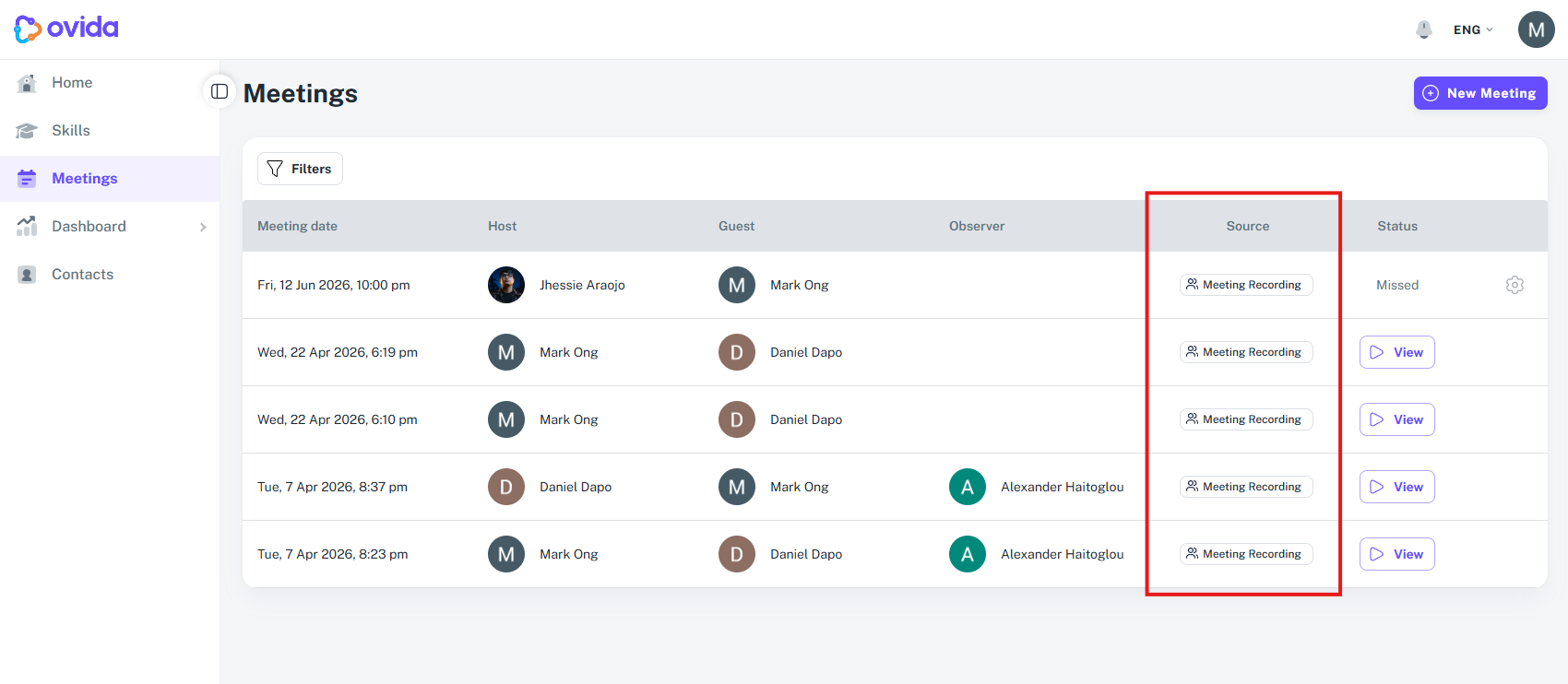
The Source column shows how each meeting was created or recorded, so you can see at a glance which meetings were captured live and which were uploaded. You may see:
Meeting Recording, a meeting recorded live in Ovida
Live recording, an in-person conversation recorded on your device
Uploaded transcript, a transcript you uploaded
Uploaded audio, an audio file you uploaded
Uploaded video, a video file you uploaded
The Settings menu
Each meeting has a Settings menu with options to:
Copy the link to share with another participant
Add to your calendar as an .ics file
Edit meeting details (date, time, team, mode, observers) via More details
Delete the meeting
Download the transcript, audio, or video from More details