How do I let team admins and assistants create meetings for others?
Last updated: May 25, 2026
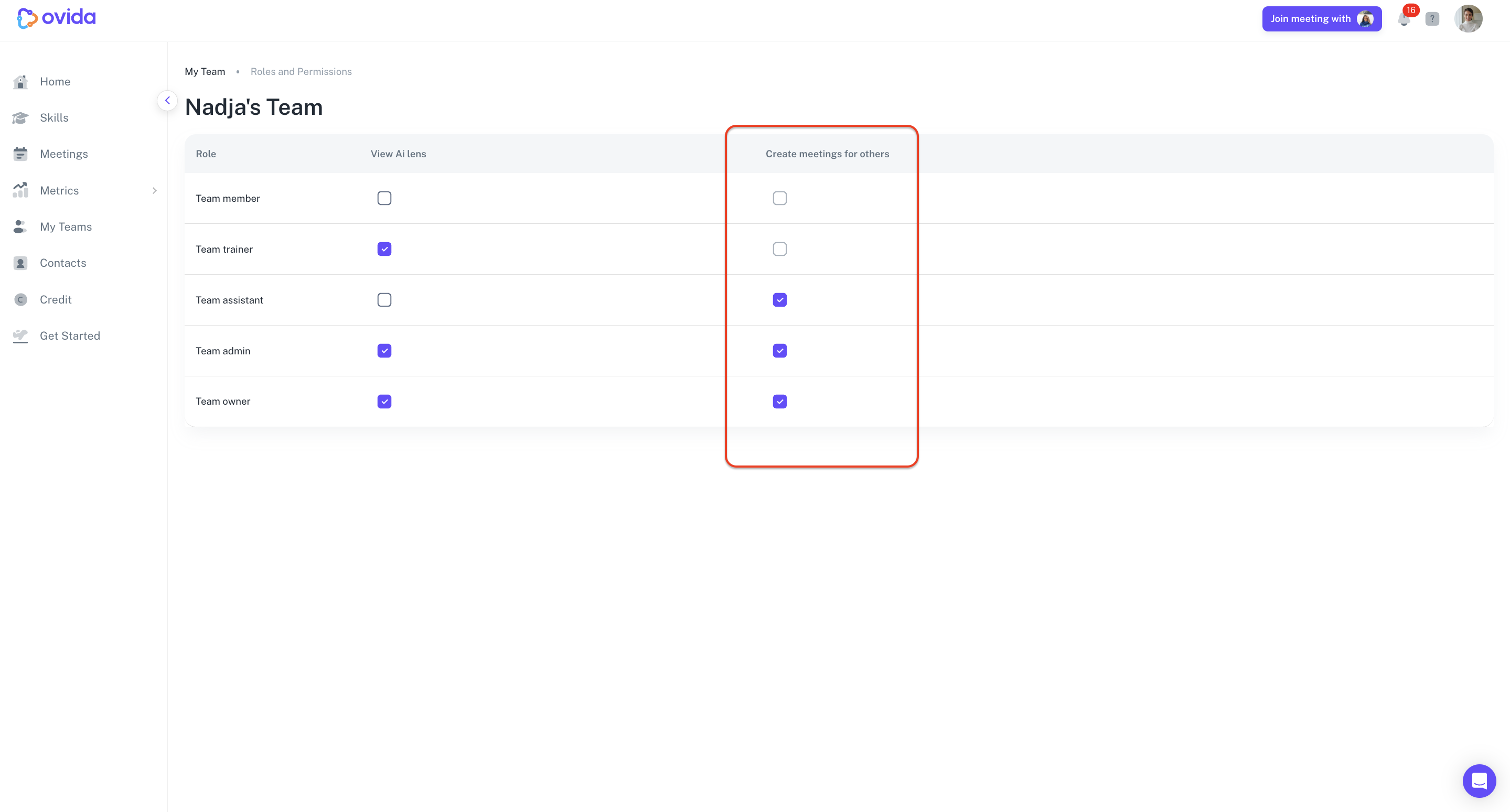
Team owners and admins can toggle whether assistants and other admins can book meetings on behalf of team members.
By default, this feature is already enabled for owners, admins, and assistants. Team owners and admins can switch it on or off.
Trainers and regular team members don't have access to this feature regardless of the setting.
Steps
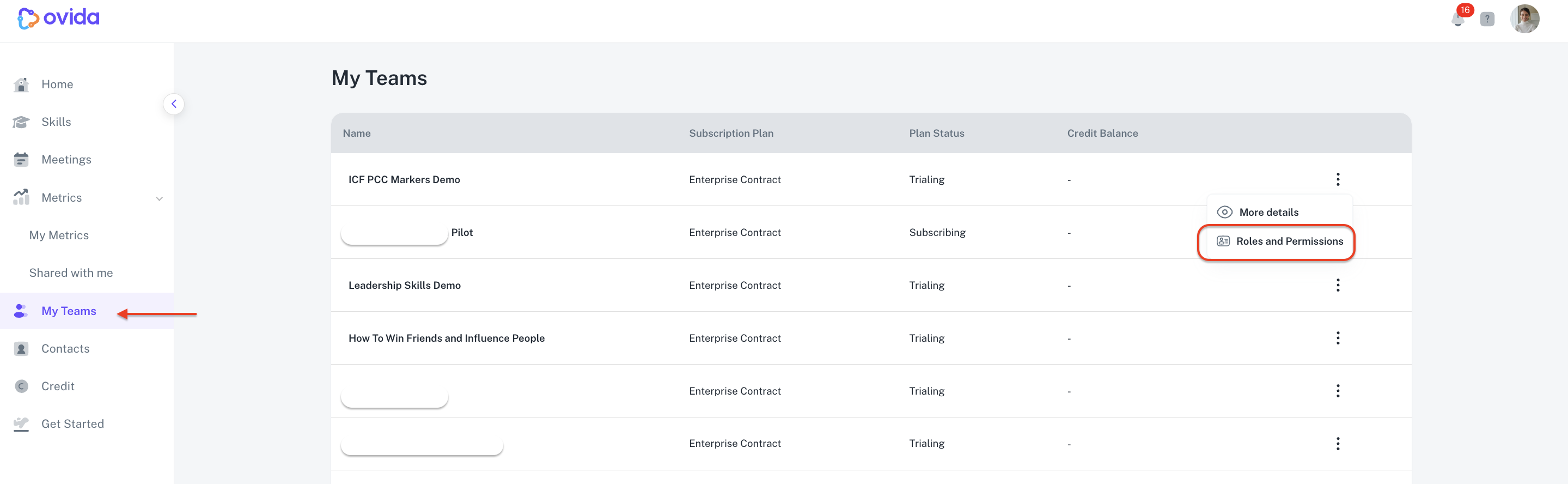
Go to My Teams > Roles and Permissions > Create meetings for others, then toggle the setting on or off.